
1 | PicoCTF - Easy challenge |
information
Files can always be changed in a secret way. Can you find the flag? cat.jpg
Author: @susie
Đầu tiên mình kiểm tra metadata thì thấy có đoạn base64
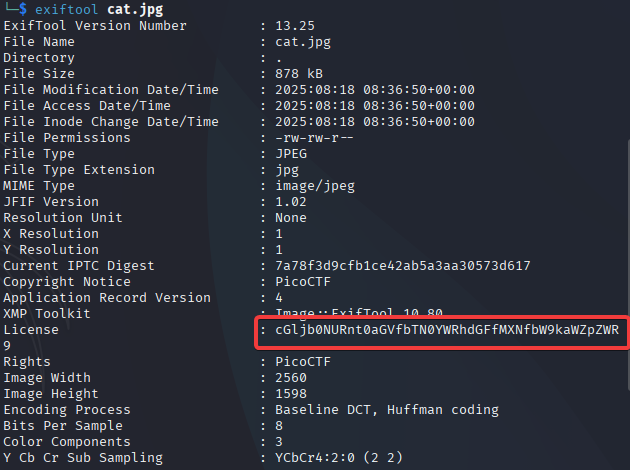
Decode

Flag: picoCTF{the_m3tadata_1s_modified}
Glory of the Garden
This garden contains more than it seems.
Author: @jedavis/Danny
Dùng strings để tìm flag

Flag: picoCTF{more_than_m33ts_the_3y3657BaB2C}
Scan Surprise
I’ve gotten bored of handing out flags as text. Wouldn’t it be cool if they were an image instead? You can download the challenge files here: challenge.zip Additional details will be available after launching your challenge instance.
Author: @Jeffery John
Giải nén file thì được 1 mã QR nhưng quét thì không thu được gì

Trong hint có đề cập dùng zbar-tools nên mình dùng thử

Flag: picoCTF{p33k_@_b00_3f7cf1ae}
Verify
People keep trying to trick my players with imitation flags. I want to make sure they get the real thing! I’m going to provide the SHA-256 hash and a decrypt script to help you know that my flags are legitimate. Additional details will be available after launching your challenge instance.
Author: @Jeffery John
Đầu tiên mình thấy có 2 file trong đó 1 file chứa hash mẫu, 1 file chứa lệnh thực thi và 1 folder có rất nhiều file chứa mã hash còn lại Từ gợi ý 2 mình tìm tên file chứa mã hash cần tìm

Sử dụng lệnh ở phần mô tả để chạy

Flag: picoCTF{trust_but_verify_451fd69b}
Secret of the Polyglot
The Network Operations Center (NOC) of your local institution picked up a suspicious file, they’re getting conflicting information on what type of file it is. They’ve brought you in as an external expert to examine the file. Can you extract all the information from this strange file? Download the suspicious file here.
Author: @syreal
Đầu tiên mình có ảnh 1 phần của flag và việc của mình là tìm nữa còn lại
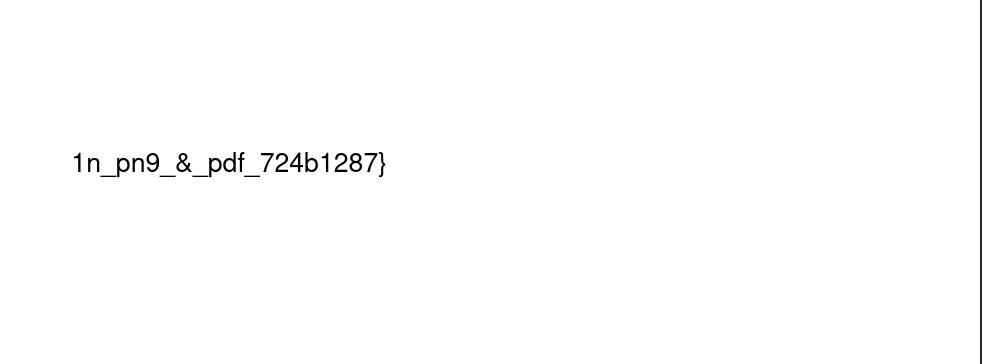
Đây là file .pdf nhưng khi dùng file để check thì nó lại là file PNG

Nên mình dùng zsteg để kiểm tra
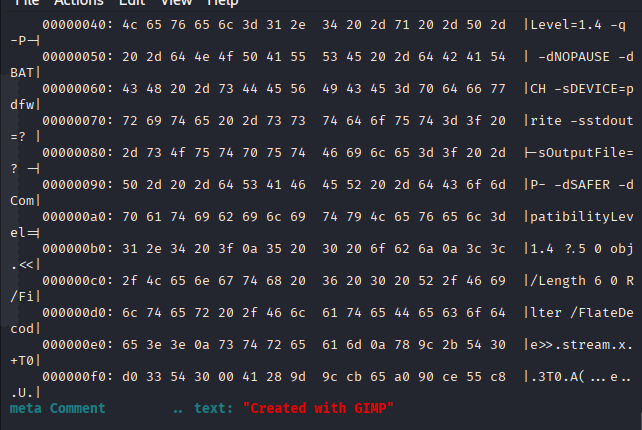
Thì biết được file này đã được chỉnh sữa qua GIMP nên mình dùng GIMP để mở thử
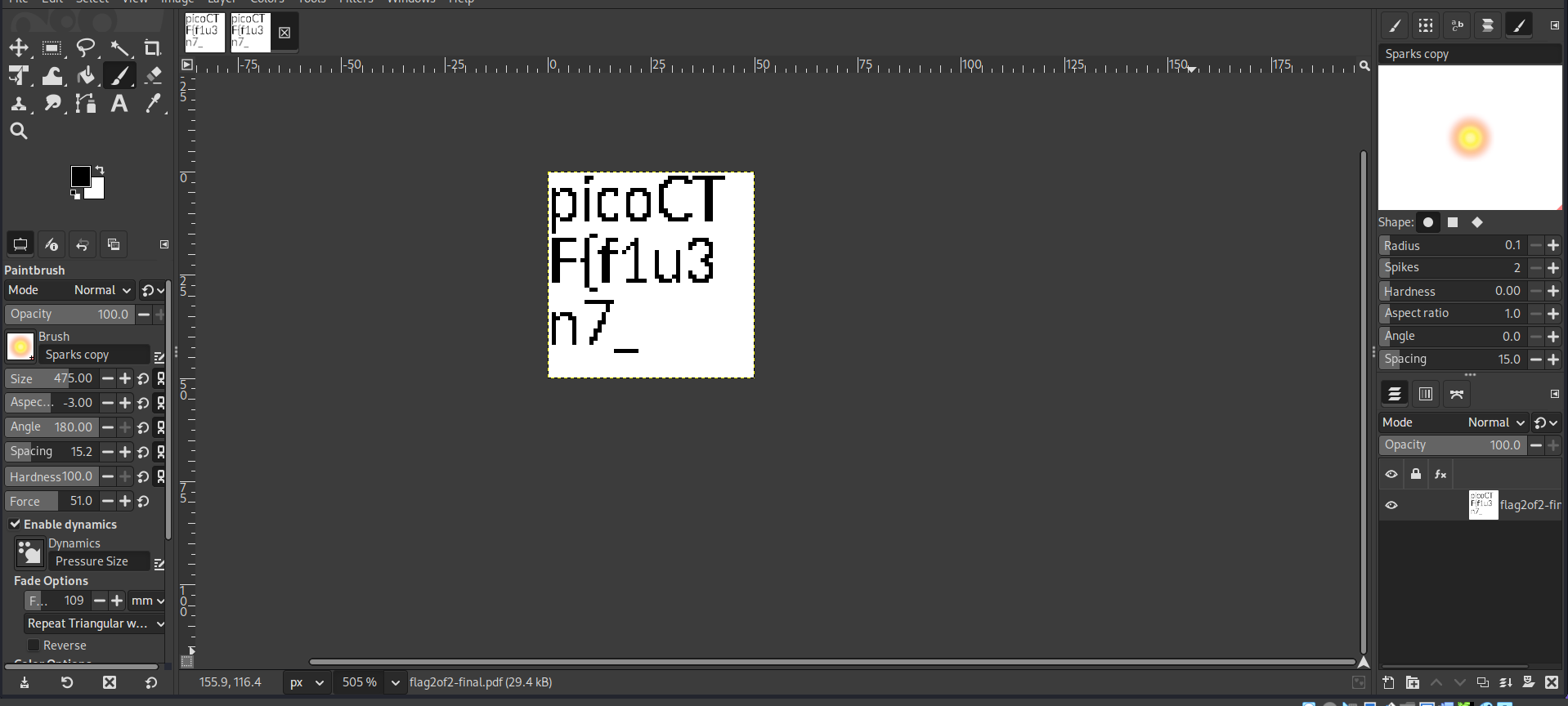
Vậy là có được phần đàu của flag ghép 2 phần lại là xong
Flag: picoCTF{f1u3n7_1n_pn9_&_pdf_724b1287}
CanYouSee
How about some hide and seek? Download this file here.
Author: @Mubarak Mikail
Dùng exiftool thì mình thấy có đoạn base64
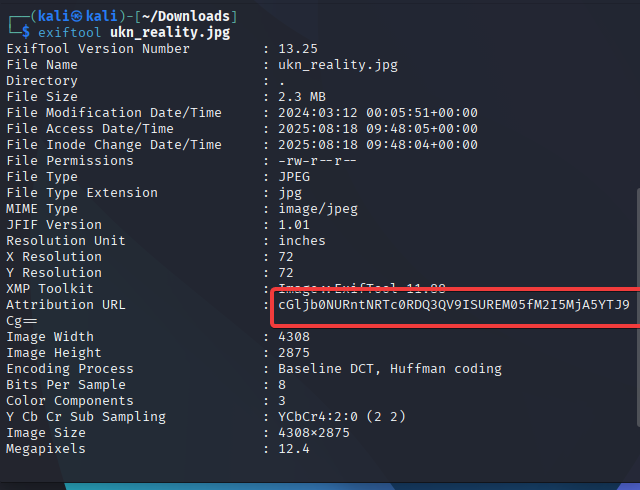
Decode

Flag: picoCTF{ME74D47A_HIDD3N_3b9209a2}
RED
RED, RED, RED, RED Download the image: red.png
Author: @Shuailin Pan (LeConjuror)
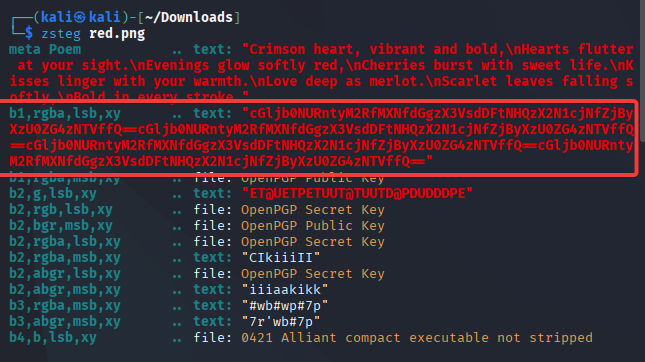
Do là file PNG nên mình dùng zsteg để check thì thấy có 1 đoạn base64 lập lại 4 lần
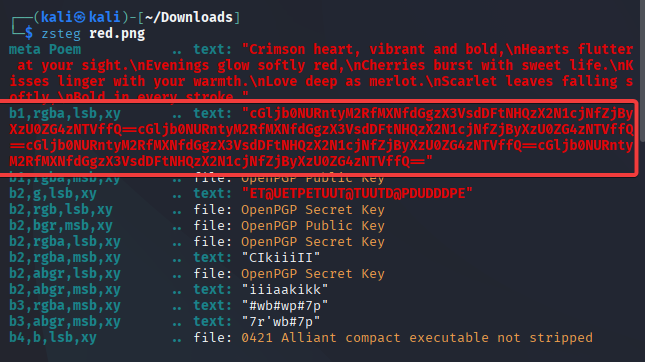
Decode
Flag: picoCTF{r3d_1s_th3_ult1m4t3_cur3_f0r_54dn355}
DISKO 1
Can you find the flag in this disk image? Download the disk image here.
Author: @Darkraicg492
Bài này cho file disko nên mình tưởng là disk forensic ai ngờ hint bài chỉ cần dùng strings
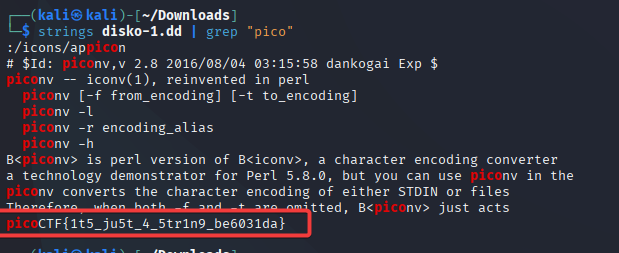
Flag: picoCTF{1t5_ju5t_4_5tr1n9_be6031da}
Ph4nt0m 1ntrud3r
A digital ghost has breached my defenses, and my sensitive data has been stolen! 😱💻 Your mission is to uncover how this phantom intruder infiltrated my system and retrieve the hidden flag. To solve this challenge, you’ll need to analyze the provided PCAP file and track down the attack method. The attacker has cleverly concealed his moves in well timely manner. Dive into the network traffic, apply the right filters and show off your forensic prowess and unmask the digital intruder! Find the PCAP file here Network Traffic PCAP file and try to get the flag.
Author: @Prince Niyonshuti N
Đầu tiên mình có file pcap nên dùng wireshark để mở
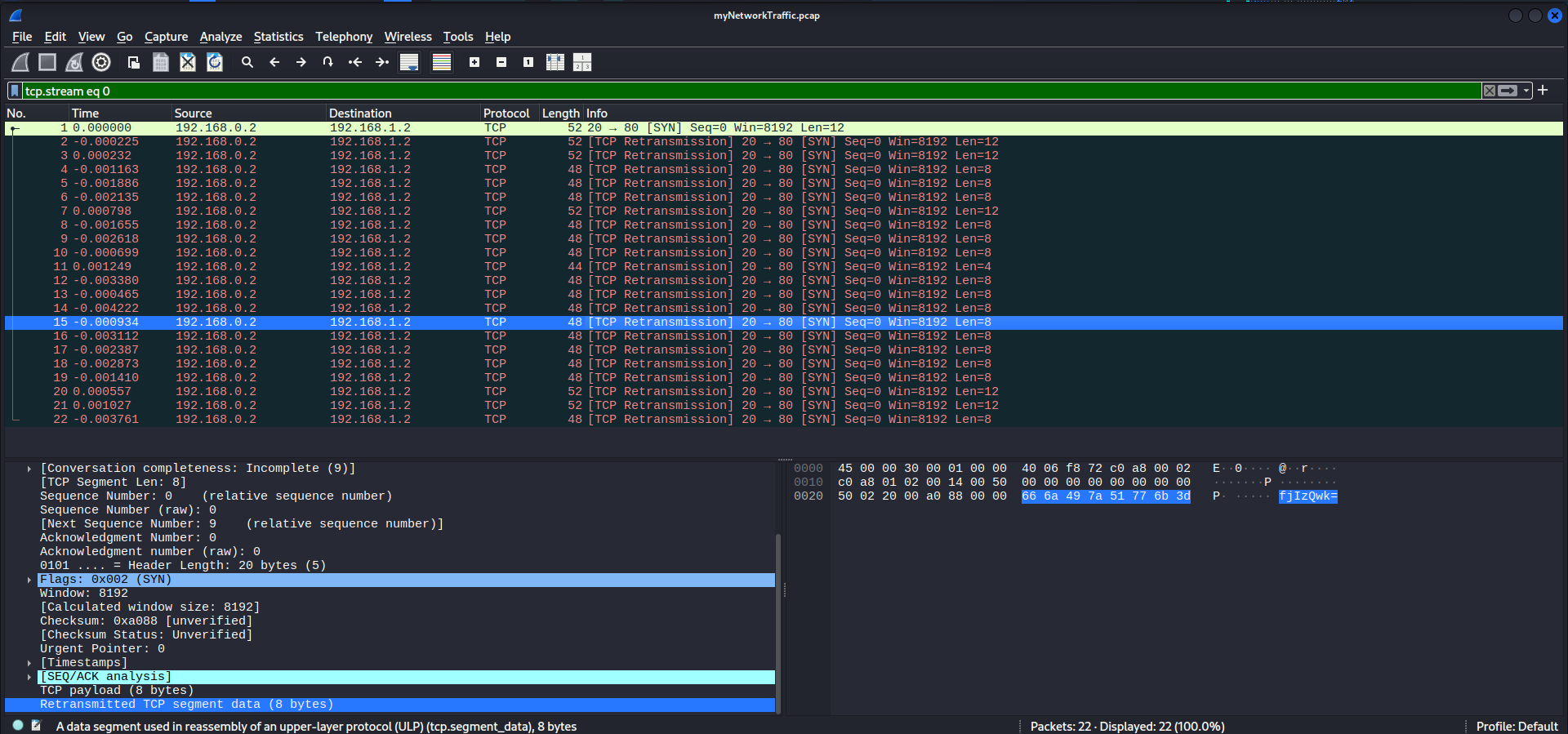
Mình filter theo TCP và mở từng gói tin để tìm kiếm thì thấy có các đoạn base64
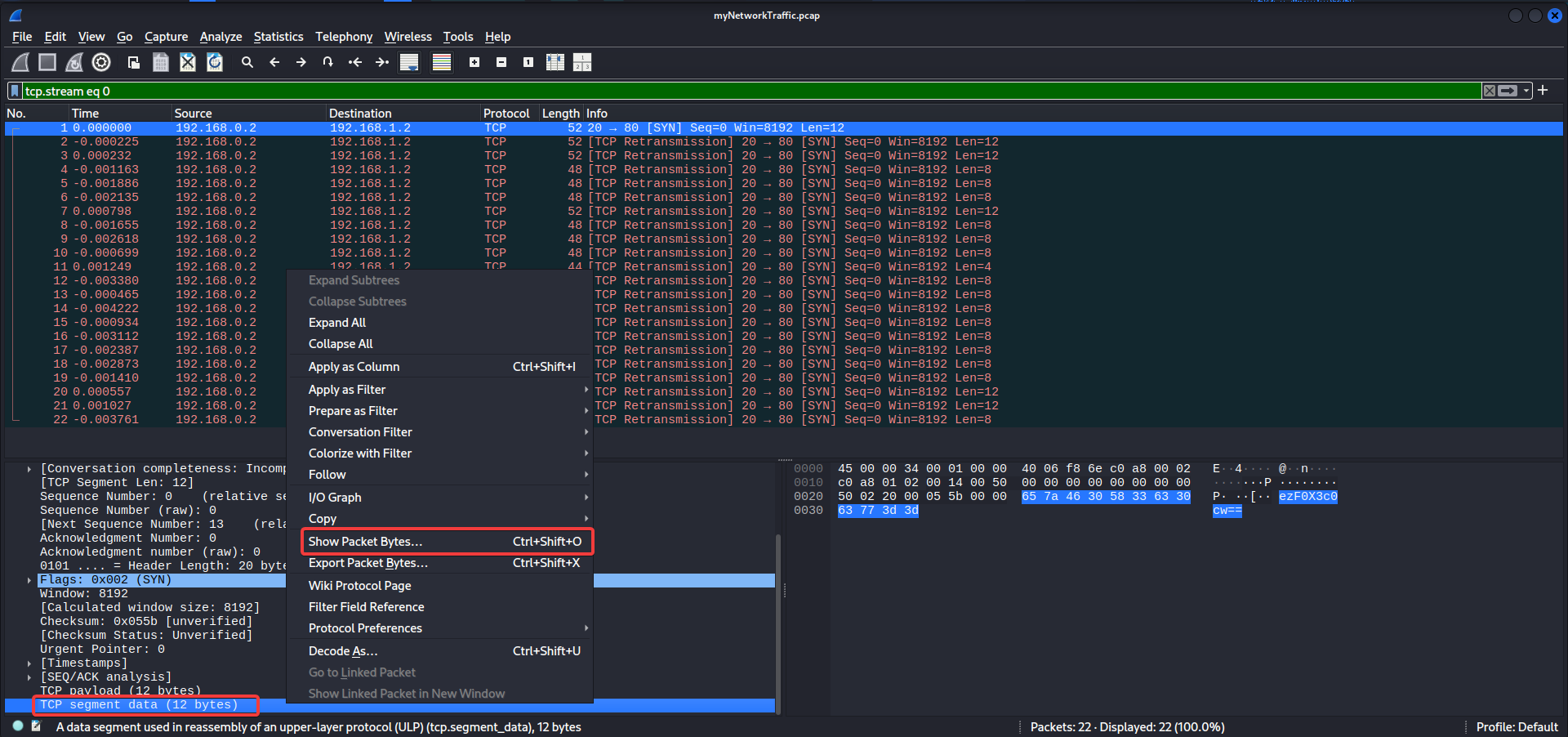
Chọn giải mã từ base64 thì thấy phần đầu chủa flag
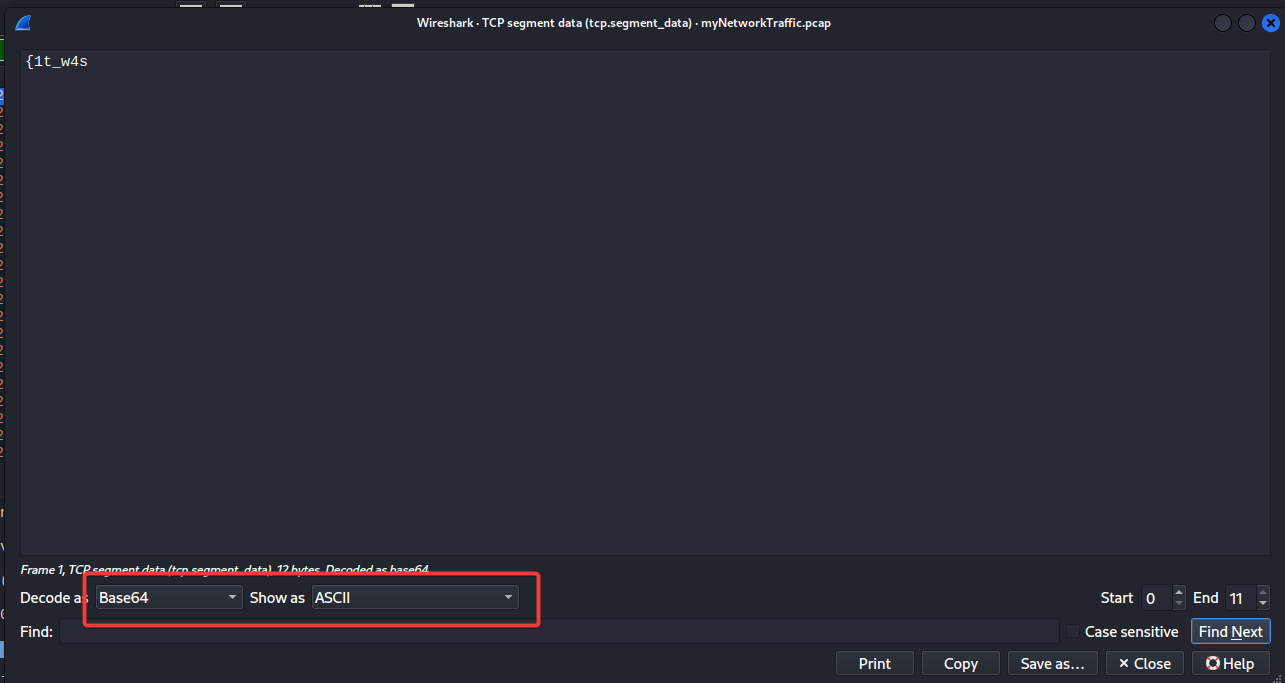
Sau đó ghép lại từng ký tự cho hợp lý (Chỉ nên ghép các gói tin có 52 byte)
Flag: picoCTF{1t_w4snt_th4t_34sy_tbh_4r_959f50d3}