
1 | PicoCTF - Medium challenge |
Lookey here
Attackers have hidden information in a very large mass of data in the past, maybe they are still doing it. Download the data here.
Author: @LT 'syreal' Jones / Mubarak Mikail
Dùng strings để tìm flag

Flag: picoCTF{gr3p_15_@w3s0m3_58f5c024}
Packets Primer
Download the packet capture file and use packet analysis software to find the flag. Download packet capture
Author: @LT 'syreal' Jones
Dùng wireshark đọc file pcap mở các gói tin thì thấy luôn flag
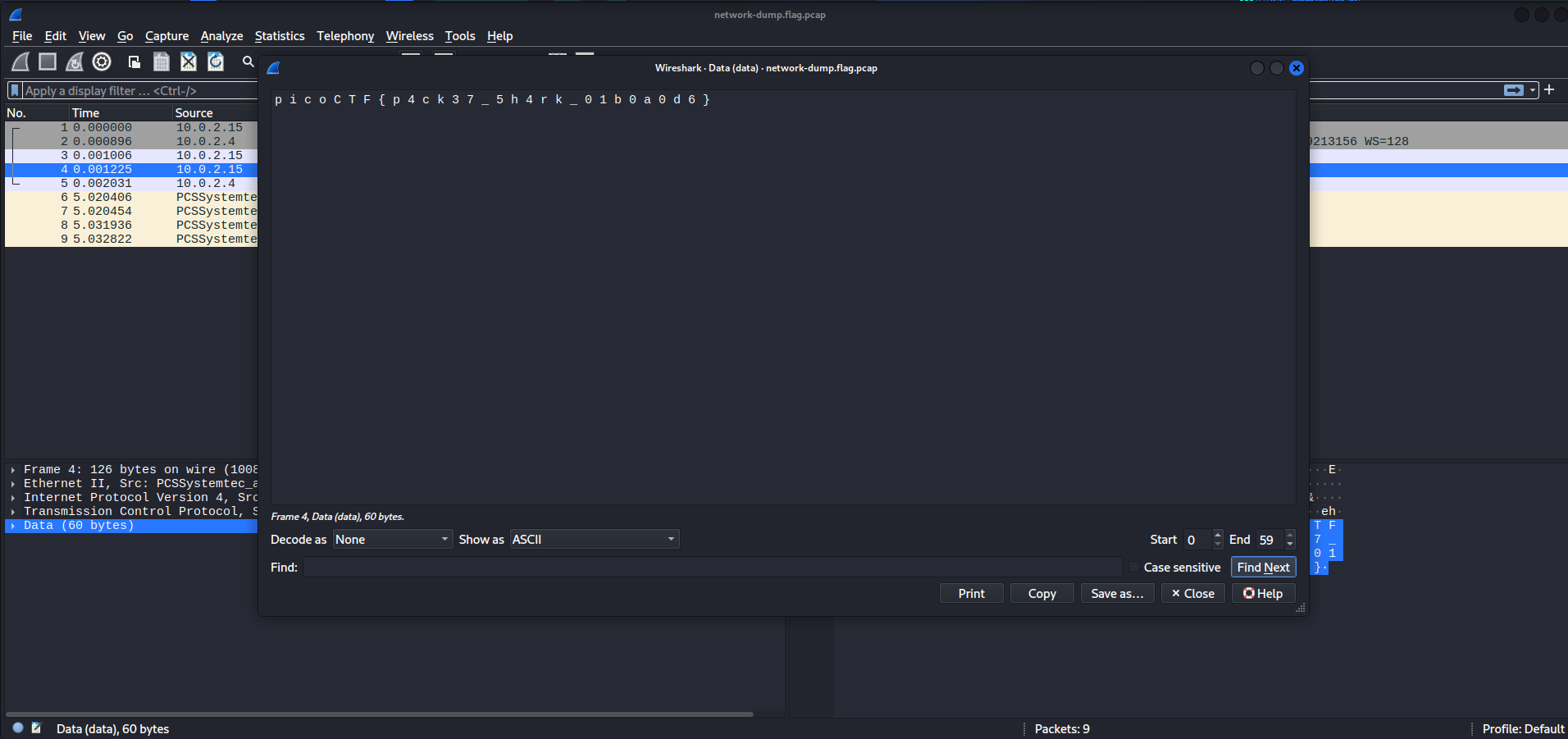
Flag: picoCTF{p4ck37_5h4rk_01b0a0d6}
Matryoshka doll
Matryoshka dolls are a set of wooden dolls of decreasing size placed one inside another. What’s the final one? Image: this
Author: @Susie/Pandu
Bài này thì mình chỉ cần binwalk tới khi ra flag thì thôi kiểu cơ chế giống con búp bê nga
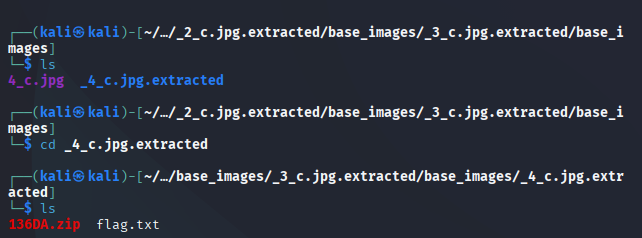
Flag: picoCTF{4cf7ac000c3fb0fa96fb92722ffb2a32}
Wireshark doo dooo do doo…
Can you find the flag? shark1.pcapng.
Author: @Dylan
Bài này giống như bài trên khác cái là flag bị mã hóa ROT13 chỉ chần decode là được
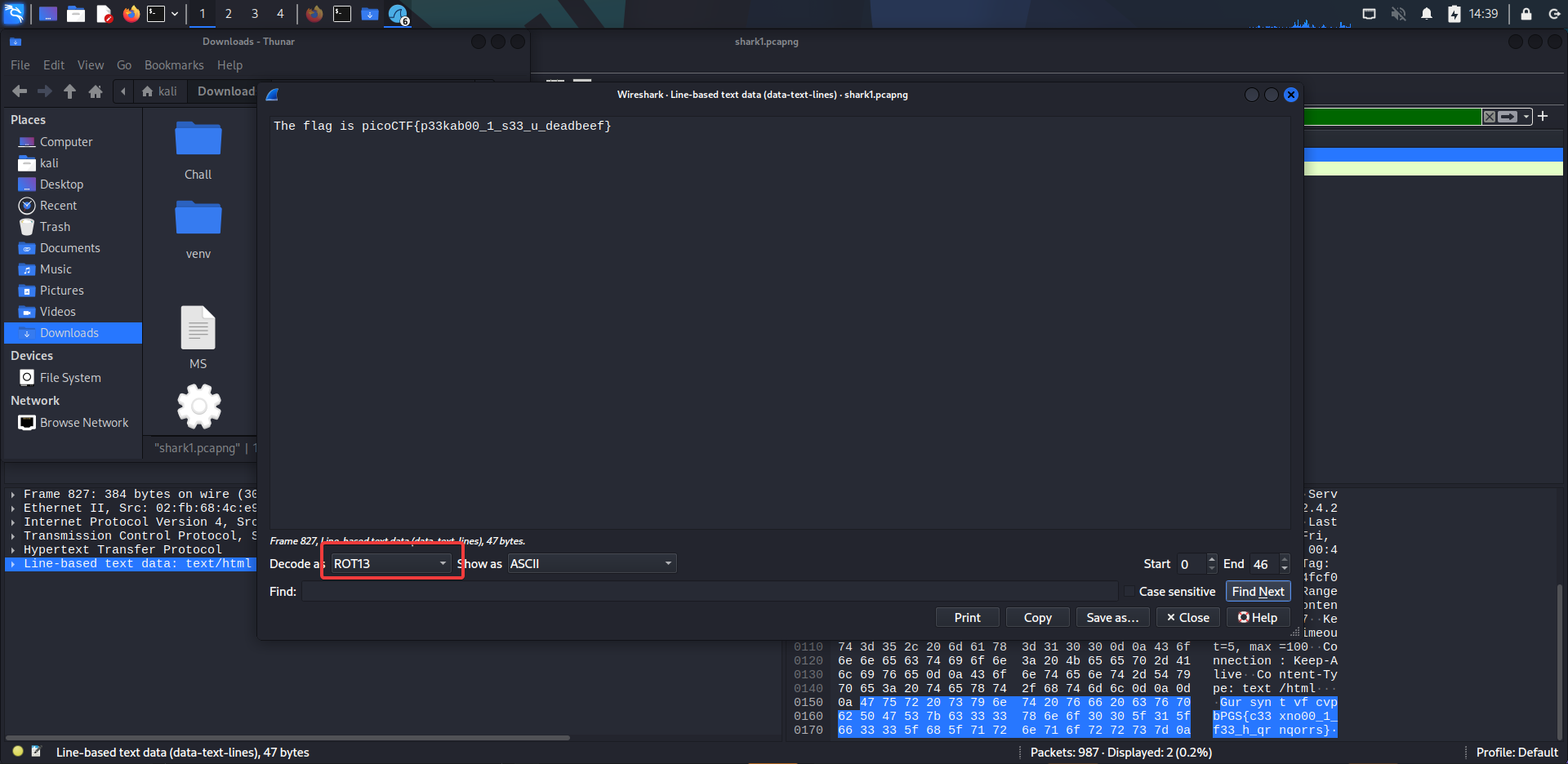
Flag: picoCTF{p33kab00_1_s33_u_deadbeef}
Enhance!
Download this image file and find the flag.
Author: @LT 'syreal' Jones
Đầu tiên mình dùng grep thì không thấy gì nhưng dùng strings để xem kỹ thì phát hiện flag bị chia nhỏ ra nên grep không tìm được là phải
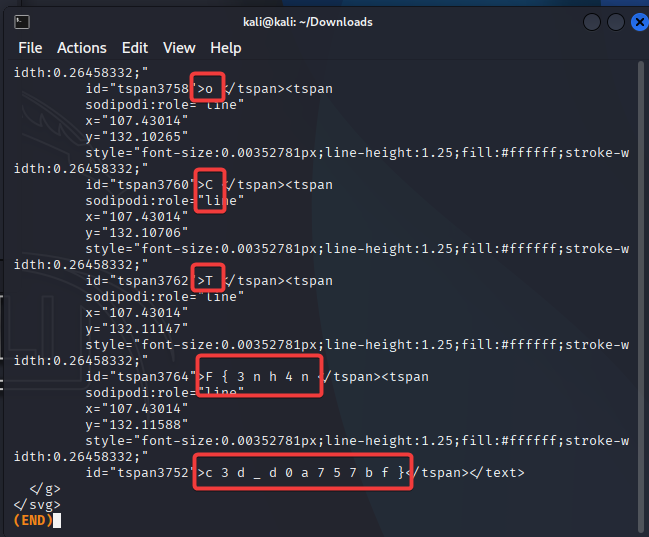
Flag picoCTF{3nh4nc3d_d0a757bf}
tunn3l v1s10n
We found this file. Recover the flag.
Author: @Danny
Dùng identify để kiểm tra thì phát hiện header bị lỗi
identify

Dùng exiftool để kiểm tra metadata
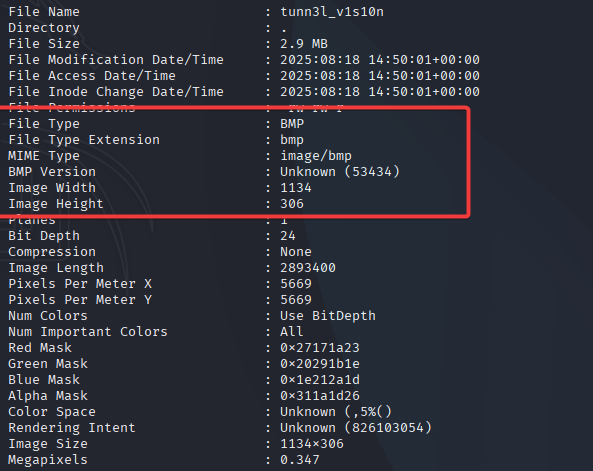
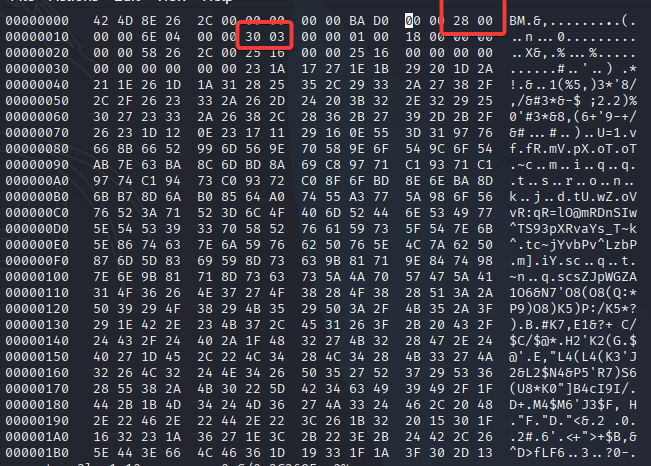
Dùng hexedit để chỉnh lại ảnh:
- Mình nhận thấy file này có độ lớn là 0xD0BA = 53434 bytes trong khi ==InfoHeader== chỉ nên là 40 bytes = 0x28
- Chỉnh lại chiều dài của ảnh 0x0332 = 818 pixels
Tìm được flag
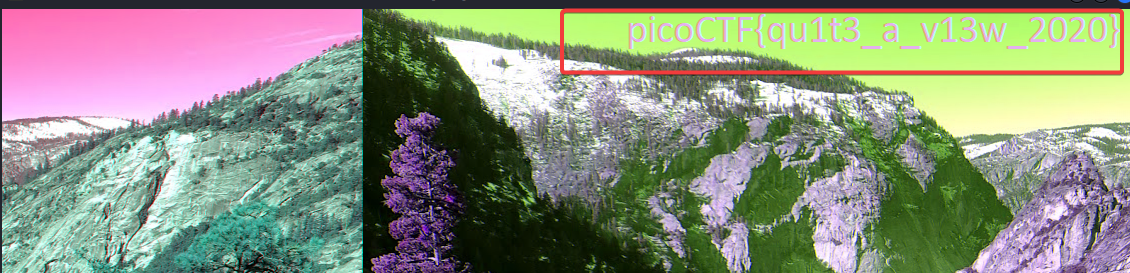
Flag: picoCTF{qu1t3_a_v13w_2020}
Mob psycho
Can you handle APKs? Download the android apk here.
Author: @NGIRIMANA Schadrack
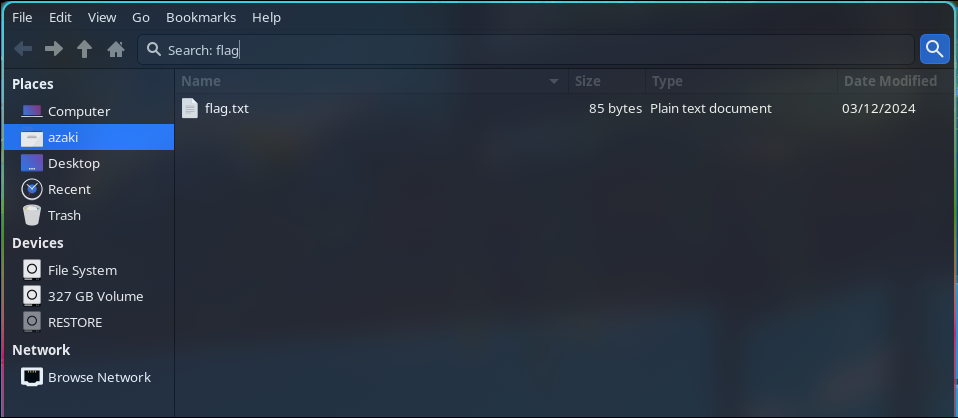
Đầu tiên mình giải nén thì được các file và folder mình thử tìm thủ công thì thấy có vô vàng file để xem và việc đó sẽ rất mất thời gian nên mình thử tìm kiếm bằng các từ khóa khả thi

Mình thử ==flag== thì có 1 file .txt
Decode
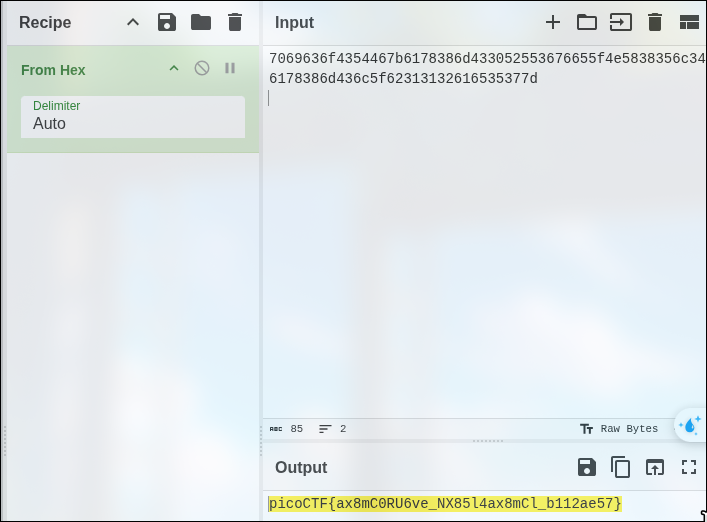
Flag: picoCTF{axBmC0RU6ve_NX85l4ax8mCl_b112ae57}
Dear Diary
If you can find the flag on this disk image, we can close the case for good! Download the disk image here.
Author: @syreal
Quăng img lên Autospy rồi tìm từ khóa ==”.txt”== sau đó ghép các kí tự lại và mình có được flag
Flag: picoCTF{1_533_n4m35_80d24b30}
PcapPoisoning
How about some hide and seek heh? Download this file and find the flag.
Author: @Mubarak Mikail
Mình thấy có gói tín với kích thước lớn hơn các gói khác nên mở thì phát hiện flag
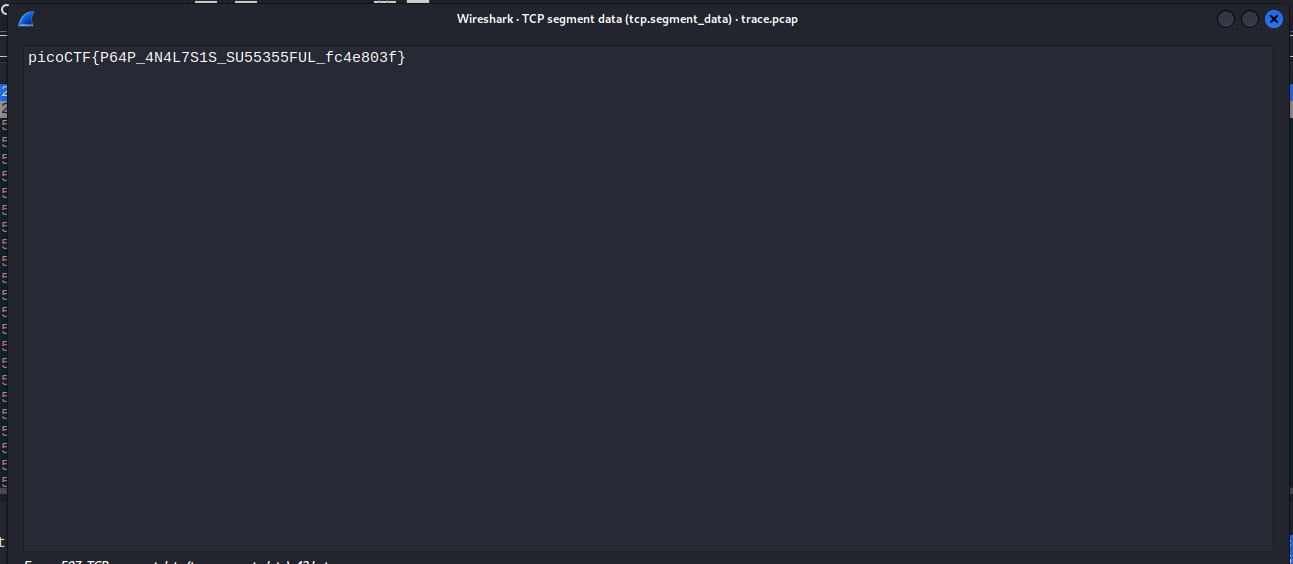
Flag: picoCTF{P64P__4N4L7S1S_SU55355FUL_fc4e803f}
MSB
This image passes LSB statistical analysis, but we can’t help but think there must be something to the visual artifacts present in this image… Download the image here
Author: @LT 'syreal' Jones
Dùng công cụ để trích xuất file
python sigBits.py --type=Msb

Dùng vi để tìm kiếm flag Nhấn vi để mở search.
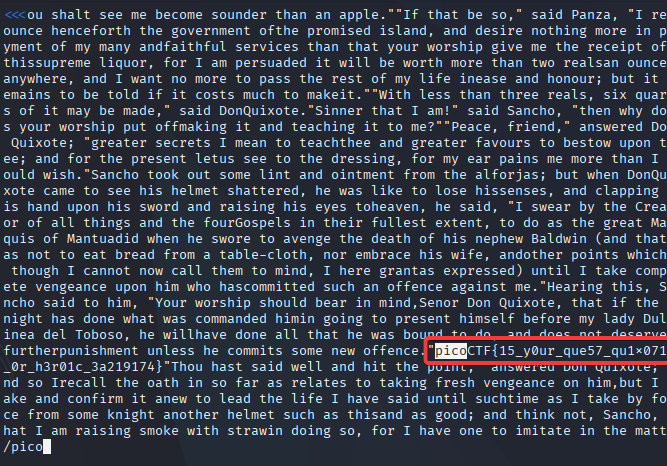
Flag: picoCTF{15_y0ur_que57_qu1x071c_0r_h3r01c_3a219174}
hideme
Every file gets a flag. The SOC analyst saw one image been sent back and forth between two people. They decided to investigate and found out that there was more than what meets the eye here.
Author: @Geoffrey Njogu
Dùng zsteg để kiểm tra do là file PNG thì thấy có file zip ẩn bên trong
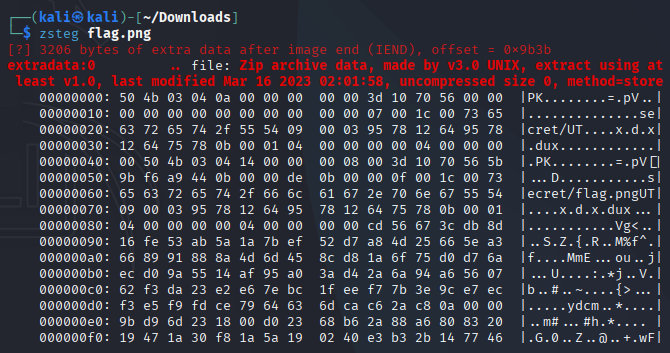
Tách file zip ra
dd if=flag.png of=hidden.zip bs=1 skip=39739 status=none

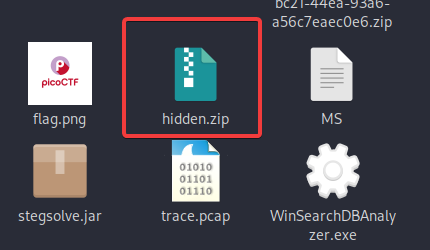
Sau đó mở file zip là có được flag

Flag: picoCTF{Hiddinng_An_imag3_within_@n_ima9e_82101824}
FindAndOpen
Someone might have hidden the password in the trace file. Find the key to unlock this file. This tracefile might be good to analyze.
Author: @Mubarak Mikail
Đầu tiên mở gói tin và lọc các tập tin data Sau đó mình tìm được các gợi ý trong các tập tin nhưng mình không quan tâm lắm vì gói tin dài 70 bytes sau khi giải mã base64 sẽ có được pass để mở file
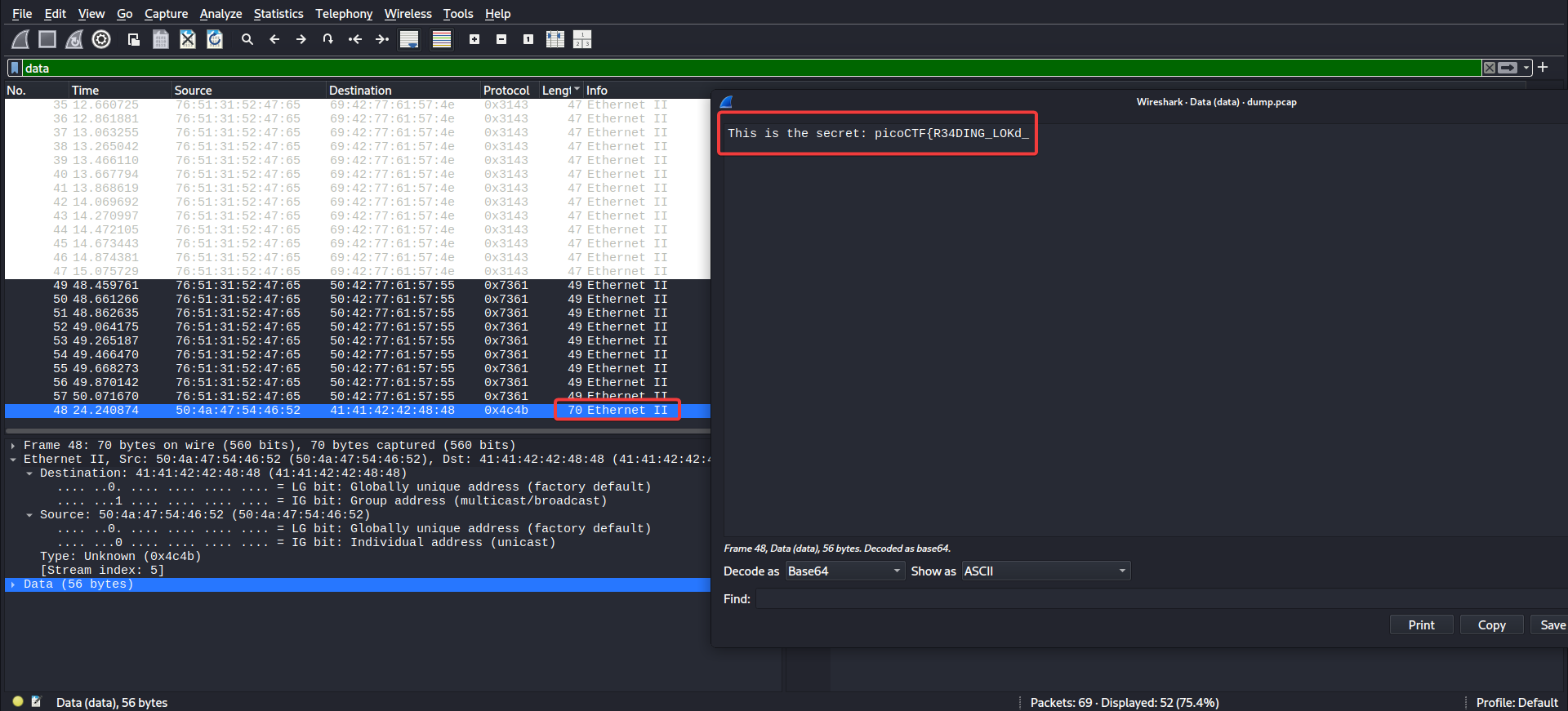
Mở file flag đã bị khóa và có được flag
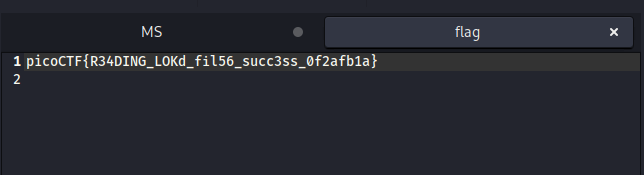
Flag: picoCTF{R34DING_LOKd_fil56_succ3ss_0f2afb1a}
St3g0
Download this image and find the flag. Download image
Author: @LT 'syreal' Jones (ft. djrobin17)
Dùng zsteg tiếp
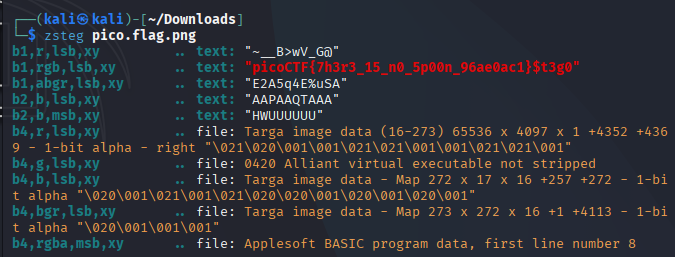
Flag: picoCTF{7h3r3_15_n0_5p00n_96ae0ac1}
Sleuthkit Intro
Download the disk image and use mmls on it to find the size of the Linux partition. Connect to the remote checker service to check your answer and get the flag. Note: if you are using the webshell, download and extract the disk image into /tmp not your home directory. Download disk image Additional details will be available after launching your challenge instance.
Author: @LT 'syreal' Jones
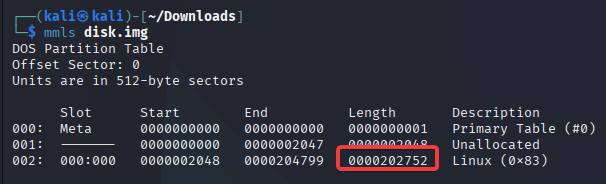
Đâu là bài dạng disk forensic Đầu tiên dùng lệnh mmls để kiểm tra độ dài của Linux như mô tả
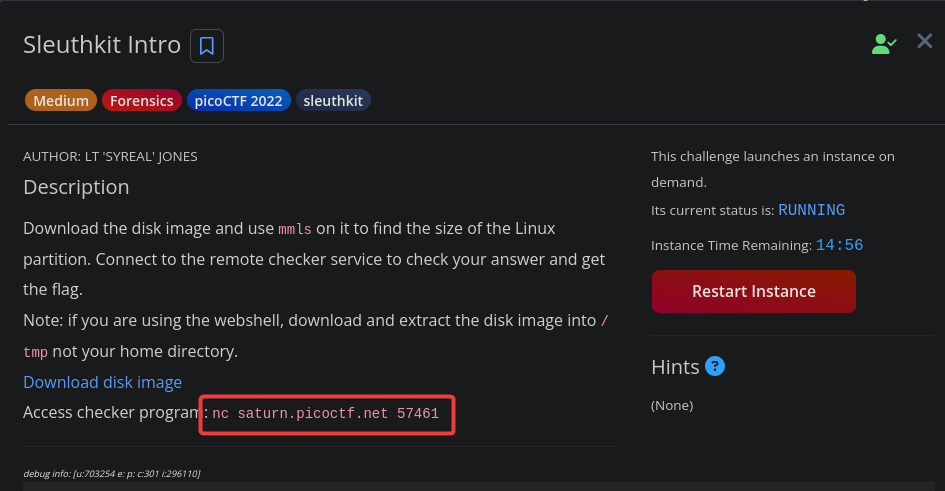
Mình Lauch instance đển đến gợi ý tiếp theo
Chạy lệnh được gợi ý sau đó nhập độ dài của Linux vừa tìm được
nc saturn.picoctf.net 65155
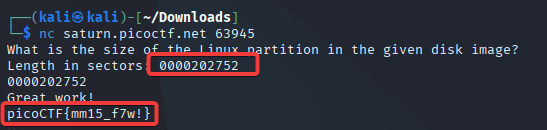
Flag: picoCTF{mml5_f7w!}
Sleuthkit Apprentice
Download this disk image and find the flag. Note: if you are using the webshell, download and extract the disk image into /tmp not your home directory. Download compressed disk image
Author: @LT 'syreal' Jones
Vẫn là disk forensic Đầu tiên mình giải nén và dùng FTK để tìm kiếm Mình tìm các mục khả nghi thì thấy mục ==my folder==
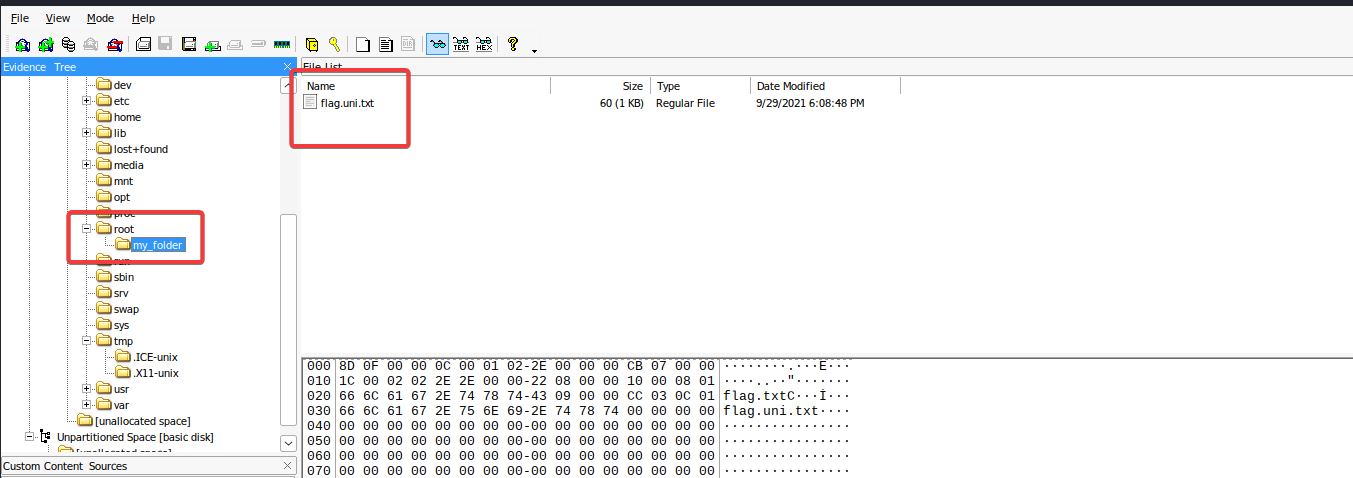
Export file ra và đọc
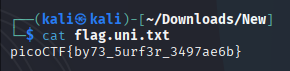
Flag: picoCTF{by73_5urf3r_3497ae6b}
Redaction gone wrong
Now you DON’T see me. This report has some critical data in it, some of which have been redacted correctly, while some were not. Can you find an important key that was not redacted properly?
Author: @Mubarak Mikail
Dùng công cụ mở file pdf và tô đen sẽ ra flag
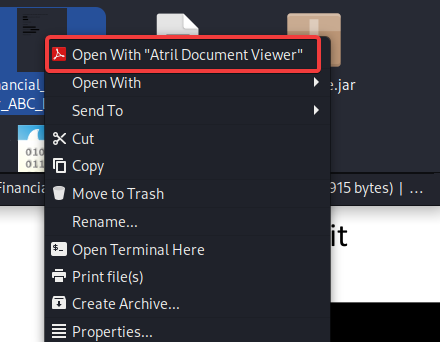
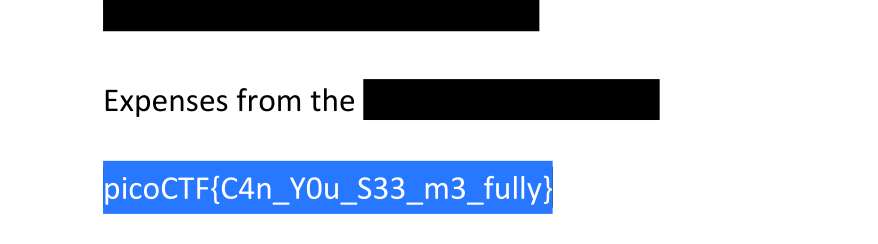
Flag: picoCTF{C4n_Y0u_S33_m3_fully}
Operation Orchid
Download this disk image and find the flag. Note: if you are using the webshell, download and extract the disk image into /tmp not your home directory. Download compressed disk image
Author: @LT 'syreal' Jones
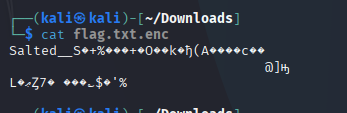
Đầu tiên mở file bằng FTK và sau khi tìm kiếm thì mình tìm được file flag nhưng đã được mã hóa
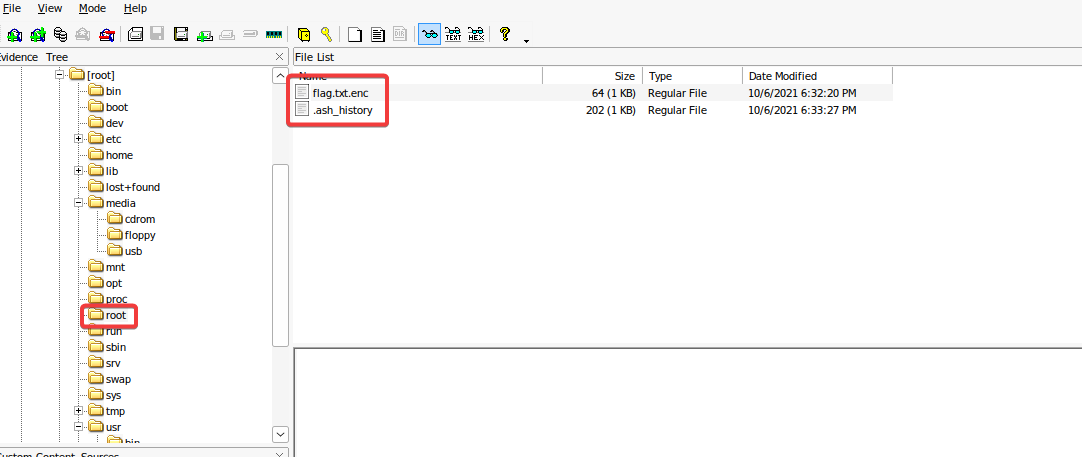
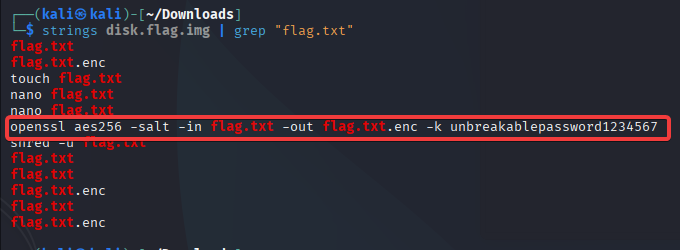
Có vẽ như đây là 1 file bị mã hóa bằng AES vậy mình cần phải tìm được key để giải mã
Dùng grep để tìm key thì ra được lệnh mã hóa kèm key
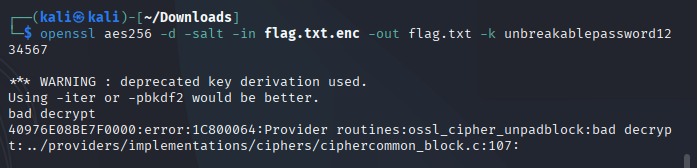
Vậy mình chỉ cần giải mã ngược lại là xong
openssl aes256 -d -salt -in flag.txt.enc -out flag.txt -k unbreakablepassword1234567
Mở file
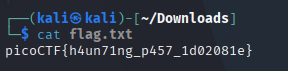
Flag: picoCTF{h4un71ng_p457_1d02081e}
File types
This file was found among some files marked confidential but my pdf reader cannot read it, maybe yours can. You can download the file from here.
Author: @Geoffrey Njogu
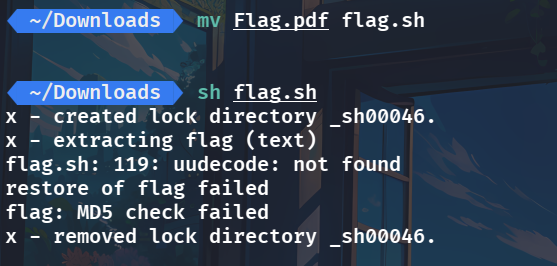
Kiểm tra file thì phát hiện file này là file shell

Nên mình sẽ đổi tên và chạy lệnh thì chương trình tạo ra file flag
Kiểm tra file flag thì thấy bị nén
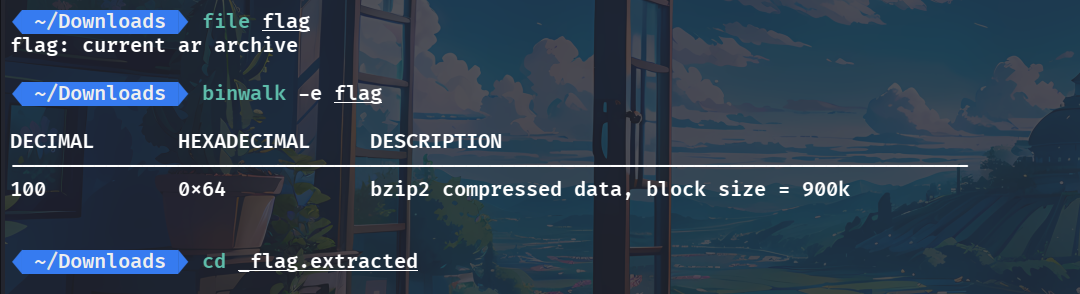
Vào thư mục giải nén thì thấy có file 64 Kiểm tra và giải nén tiếp
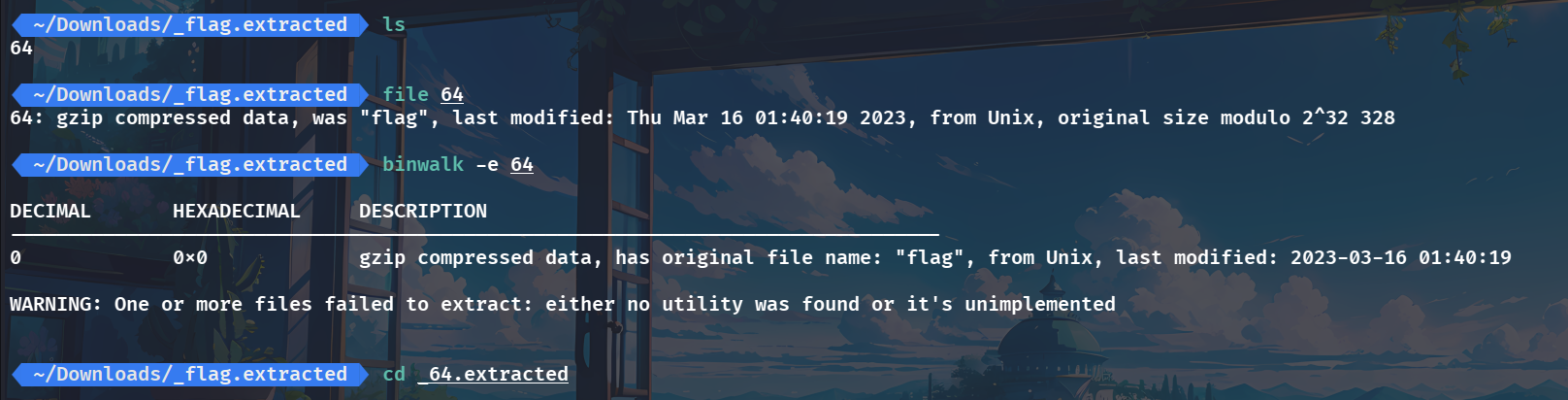
Mình thu dược file flag kiểm tra thì thấy bị nén dạng lzip
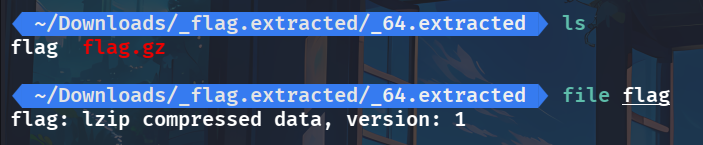
Dùng lệnh lzip để giải nén thì thu được file flag.out

Kiểm tra file mới thì thấy bị nén ở dạng lz4 nên mình sẽ đổi đuôi cho hợp lý

Giải nén với lz4 và có đưuọc file flag

Dùng binwalk thì phát hiện file flag dạng lzma nên đổi đuôi tiếp

Giải nén và thu được file flag tiếp

Dùng binwalk tiếp
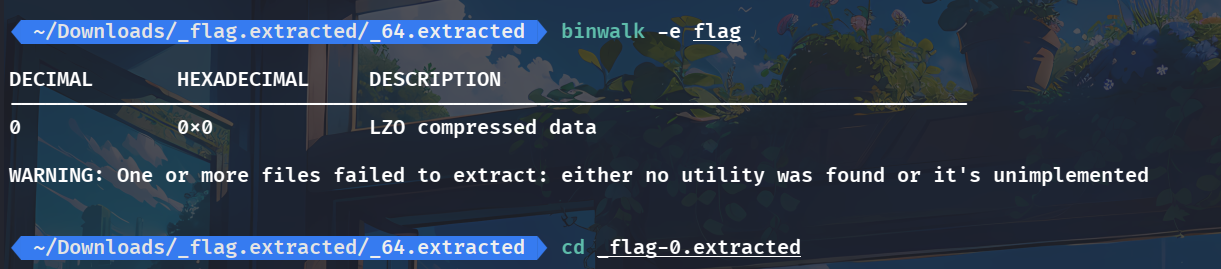
Mình thấy có file lzo nên giải nén thử nhưng nó có tồn tại rồi là file 0 nên mình kiểm tra 0 thì đây là file lzip nên mình dùng lzip để giải nén thì thu đucợ 0.out
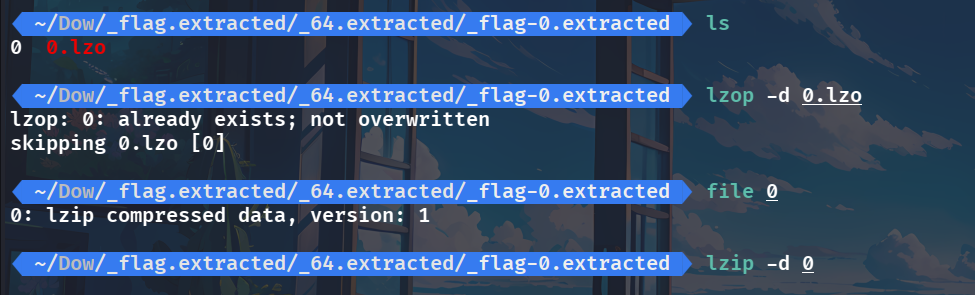
Dùng binwalk cho 0.out
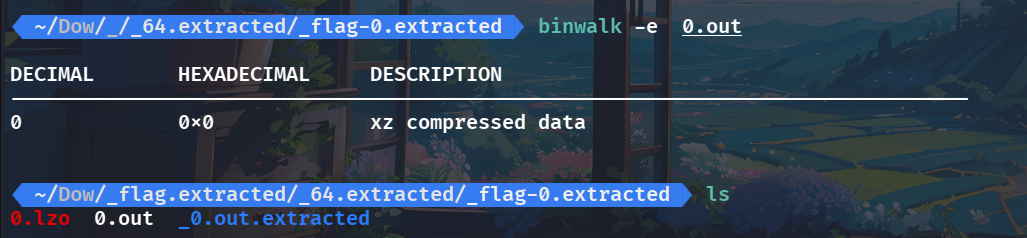
Mình kiểm tra thì thấy file vừa tạo là text
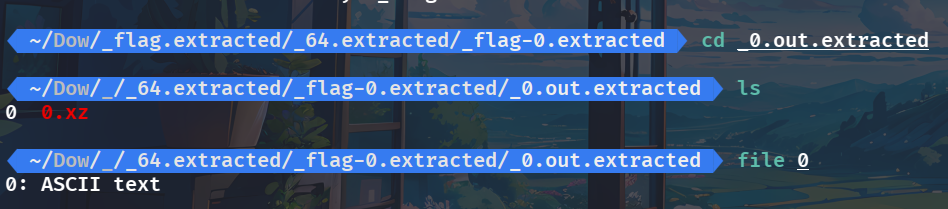
Đọc file tới đây vẫn chưa có flag vẫn còn bị encode dạng hex

Dùng Cyberchef đễ decode
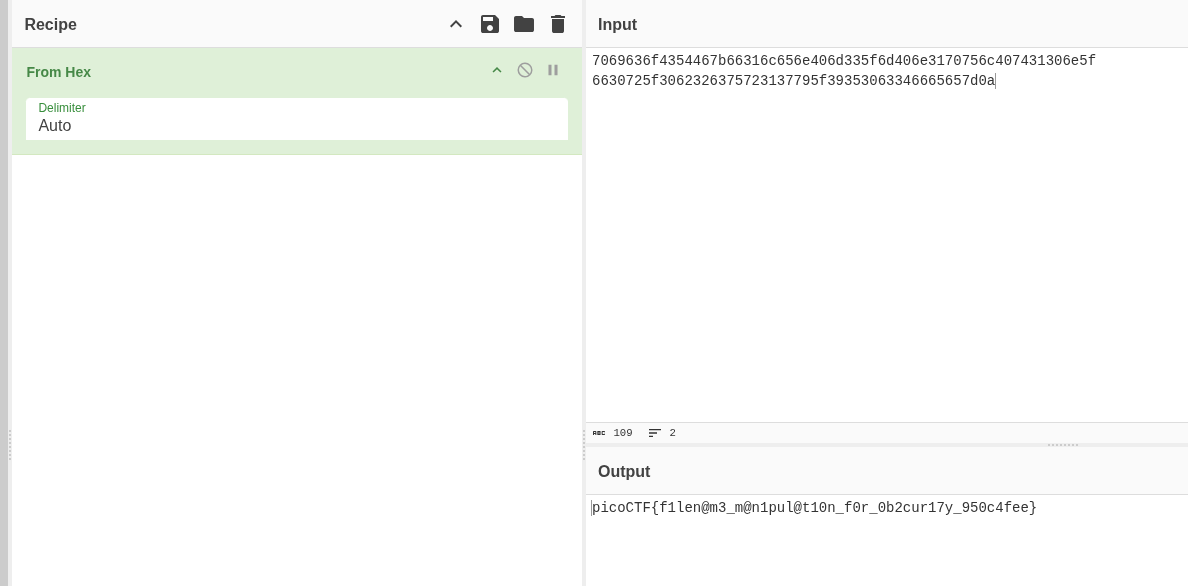
Flag: picoCTF{f1len@m3_m@n1pul@t10n_f0r_0b2cur17y_79b01c26}
Eavesdrop
Download this packet capture and find the flag. Download packet capture
Author: @LT 'syreal' Jones
Đầu tiên mở file .pcap và filter theo data thì mình tìm được dữ liệu của 1 cuộc hội thoại
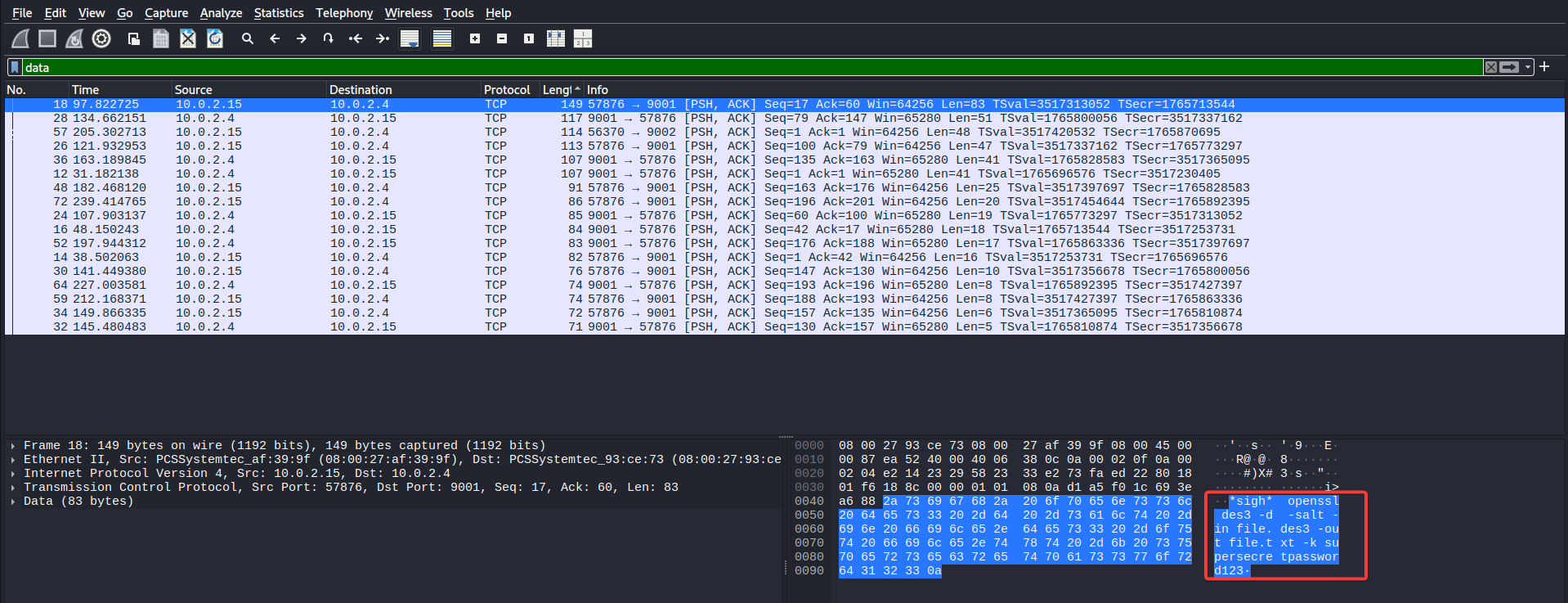
Sau khi tổng hợp được thì nội dung cuộc hội thoại như sau
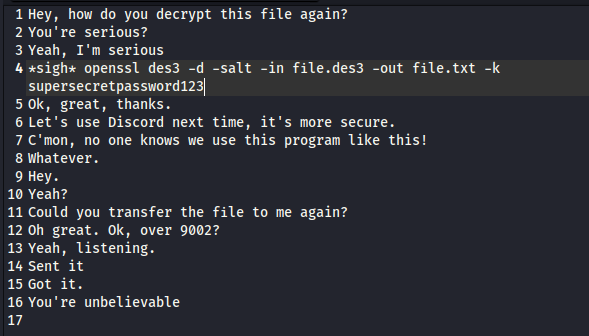
Vậy mình cần tìm nội dung của ==file.des3== mà trong các gói tin có 1 gói tin không phải nội dung của cuộc trò chuyện nên mình nghĩ nó có thể là nội dung cần giải mã
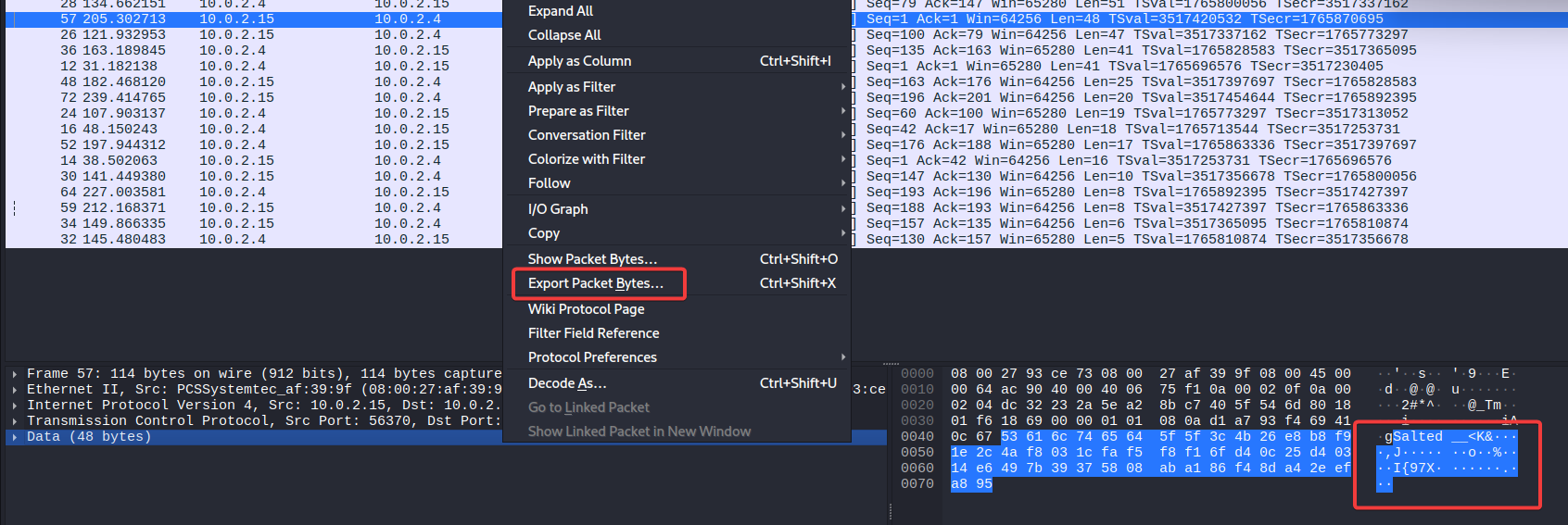
Sau đó mình đùng lệnh trong cuộc trò chuyện để giải mã
openssl des3 -d -salt -in file.des3 -out file.txt -k supersecretpassword123


Flag: picoCTF{nc_73115_411_0ee7267a}
advanced-potion-making
Ron just found his own copy of advanced potion making, but its been corrupted by some kind of spell. Help him recover it! Challenge Endpoints Download advanced-potion-making advanced-potion-making
Author: @bigC
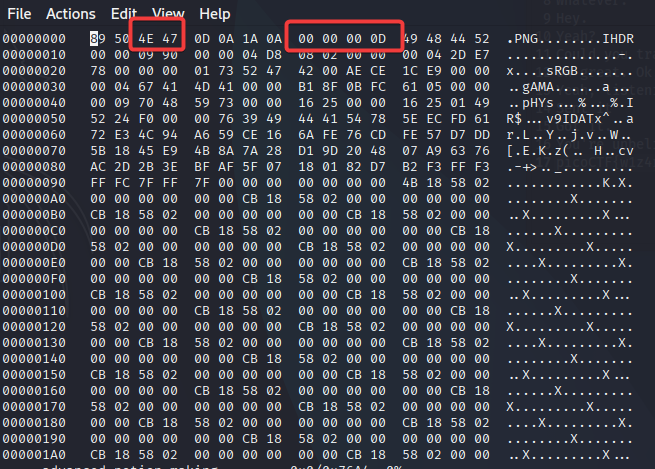
Đầu tiên mình kiểm tra thì phát hiện đây là file PNG bị hỏng

Vậy mình sửa lại thành file PNG hợp lệ
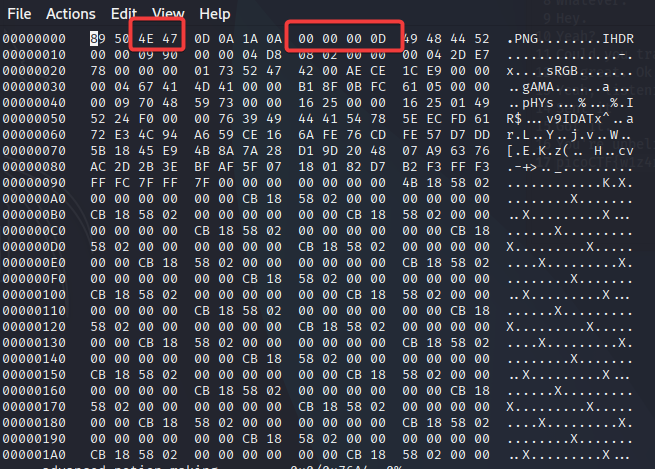
Sau khi sửa xong thì mình được ảnh màu đỏ không có thông tin gì cả
Nên mình thử dùng stegslove để check xem
java -jar stegslove.jar
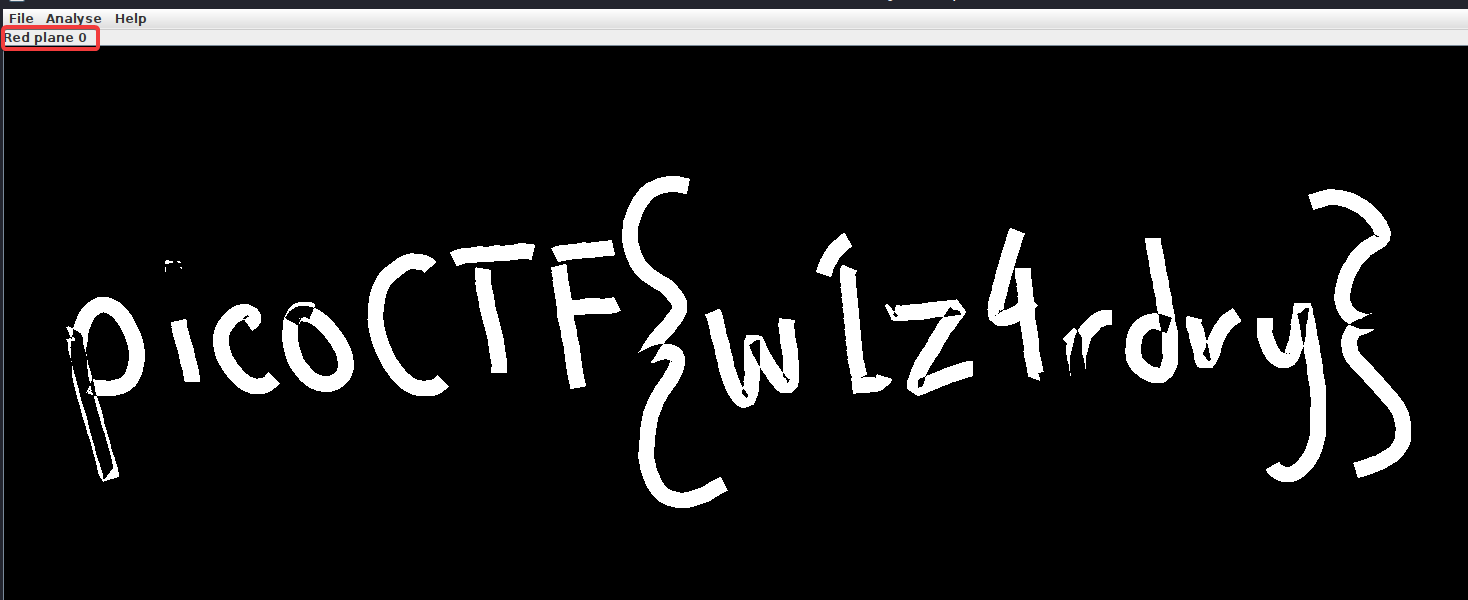
Flag: picoCTF{w1z4rdry}
Milkslap
🥛
Author: @James Lynch
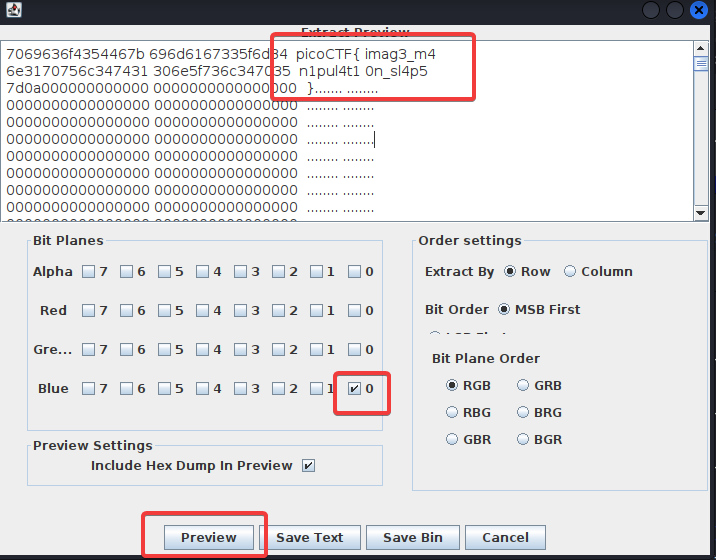
Dùng stegslove sau đó chọn Analyse –> Data extract
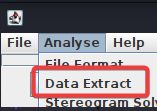
Đây là dạng LBS nên mình sẽ kiểm tra bit cuối của 3 màu
Disk, disk, sleuth! II
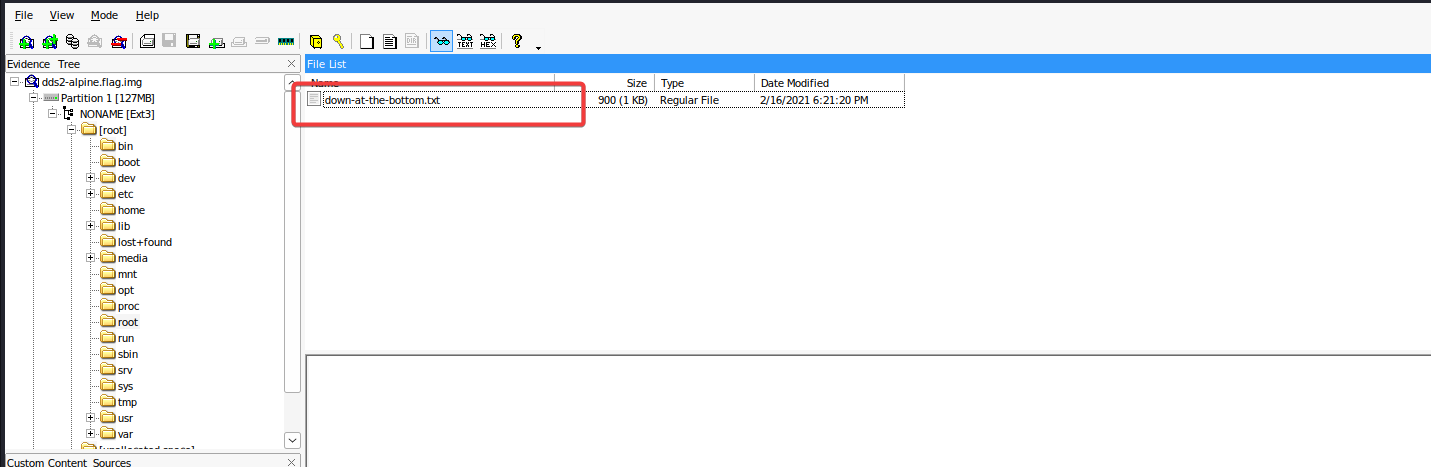
All we know is the file with the flag is named down-at-the-bottom.txt… Disk image: dds2-alpine.flag.img.gz
Author: @syreal
Giải nén file thì được file img sau đó mở bằng FTK Tại FTK mình tìm file như mô đã đã nói và trích xuất file
Mở file và mình có flag
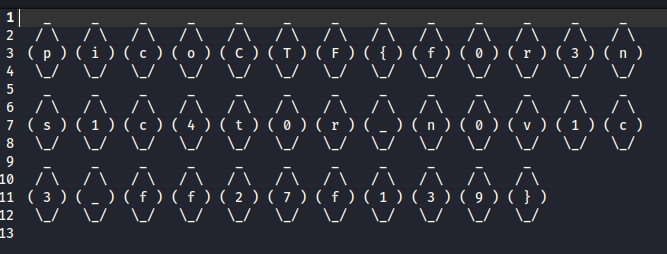
Flag: picoCTF{f0r3ns1c4t0r_n0v1c3_ff27f139}
MacroHard WeakEdge
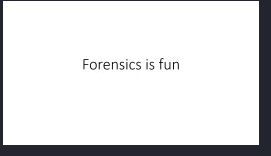
I’ve hidden a flag in this file. Can you find it? Forensics is fun.pptm
Author: @madStacks
Đầu tiên mình dùng exiftool thì thấy có phần bị ẩn
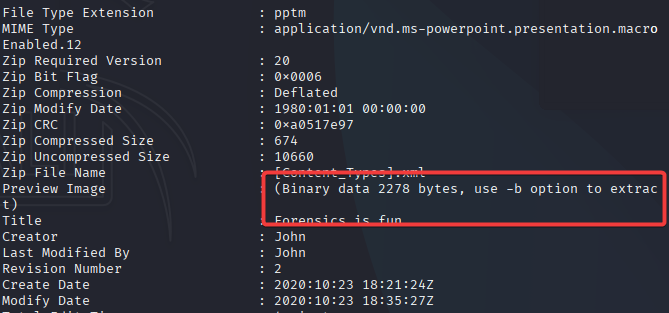
Nên mình lấy phần binary đó ra
exiftool -b -PreviewImage your_file.pptm > preview_image.jpg
Nhưng chỉ thu được 1 ảnh bình thường
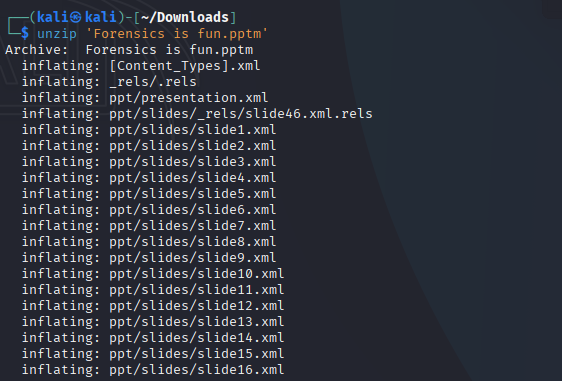
Do .pptx cũng là thuộc dạng file zip nên mình giải nén thử
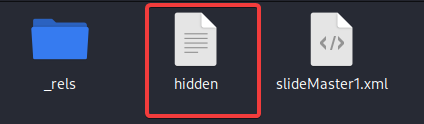
Sau đó mình tìm kiếm các thư mục thì phát hiện file đáng ngờ
Mở lên thì mình thấy đây là chuỗi base64
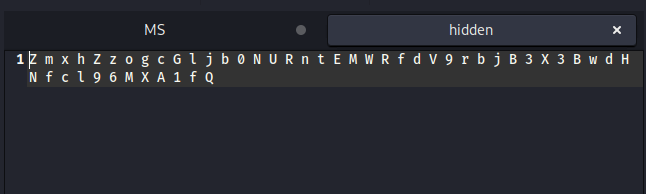
Dùng Cyberchef để decodehoặc lệnh echo
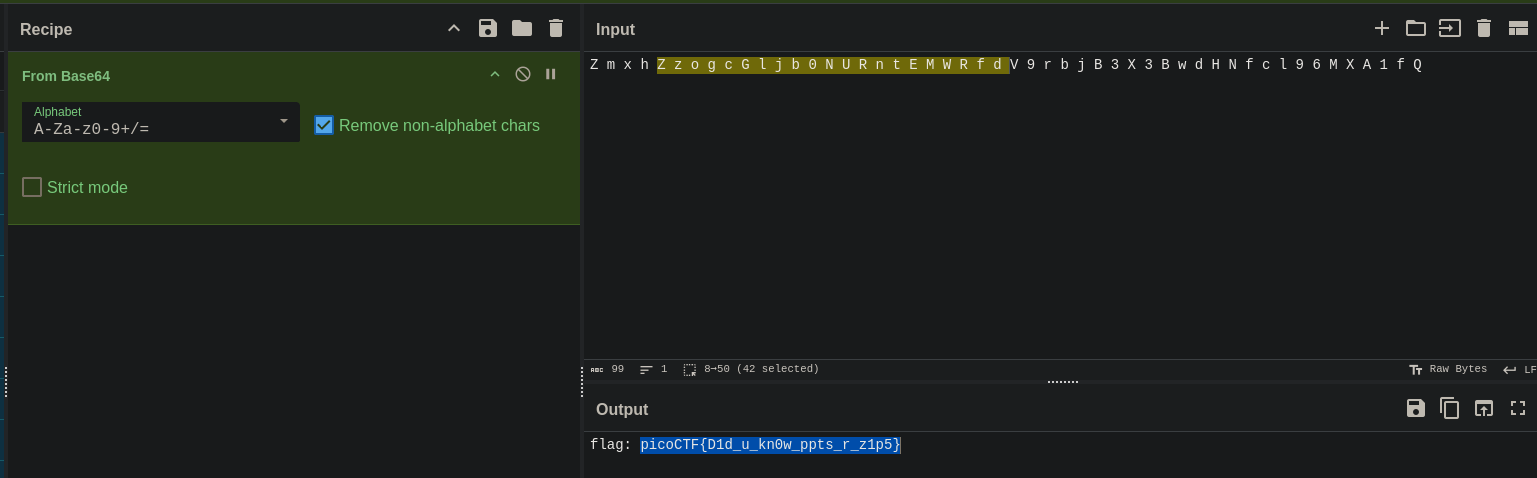
Flag: picoCTF{D1d_u_kn0w_ppts_r_z1p5}
Disk, disk, sleuth!
Use srch_strings from the sleuthkit and some terminal-fu to find a flag in this disk image: dds1-alpine.flag.img.gz
Author: @syreal
Lúc đầu thấy file disk nên tưởng mò bằng FTK nhưng sau khi mò thì không thấy gì cả Dùng strings mình có luôn flag
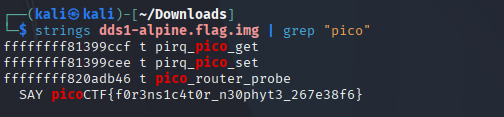
Flag: picoCTF{f0r3ns1c4t0r_n30phyt3_267e38f6}
Wireshark twoo twooo two twoo…
Can you find the flag? shark2.pcapng.
Author: @Dylan
Mới đầu lọc các điểm khả nghi thì mình thấy được flag nhưng đây chỉ là flag giả và có rất nhiều flag như này nữa nên mình thử đổi hướng tìm kiếm khác
Sau khi tìm kiếm một hồi thì mình nhận thấy có điểm đáng nghi đó là dns nên mình thử filter theo xem

Sau khi filter thì ánh mắt mình va phải “==” đây chính là dấu hiệu của chuỗi base64
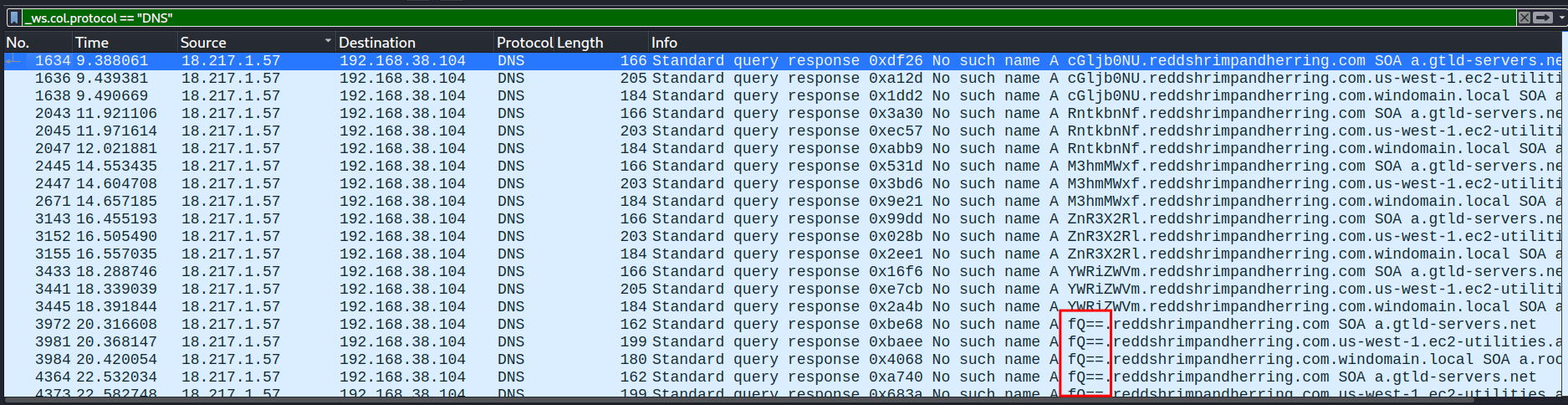
Ghép lại mình được flag
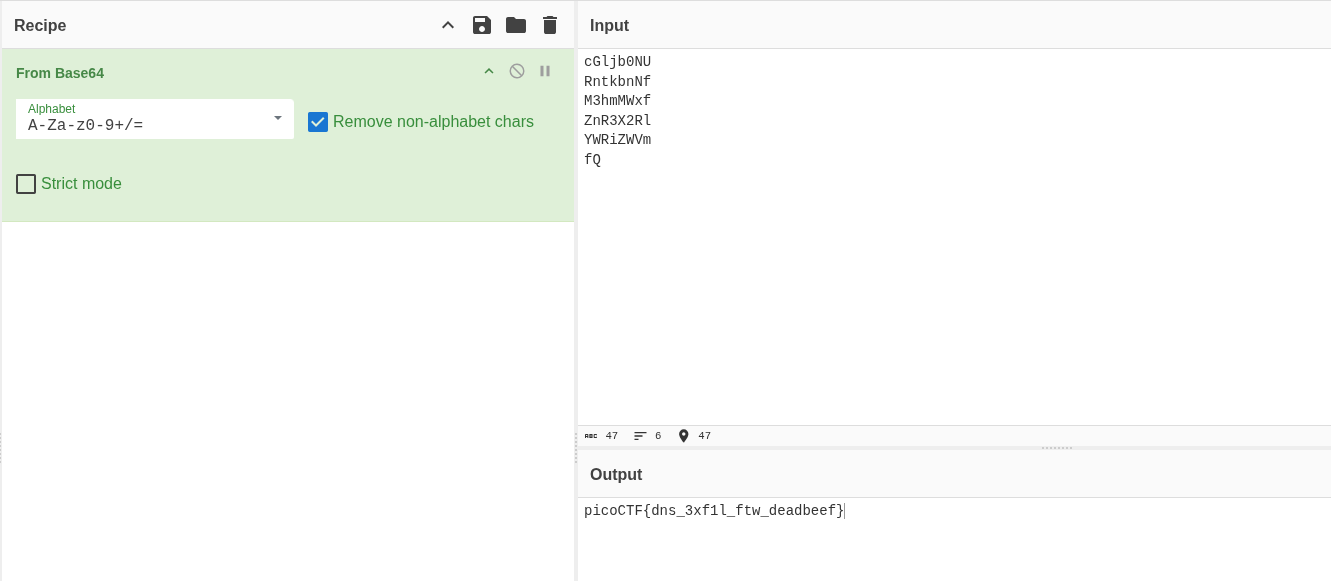
Flag: picoCTF{dns_3xf1l_ftw_deadbeef}
Trivial Flag Transfer Protocol
Figure out how they moved the flag.
Author: @Danny
Mở file pcap và lọc theo data thì mình tìm được gói tin có chứa chuỗi ký tự giải mã qua ROT13 thì mình được câu sau
1 | TFTP DOESNT ENCRYPT OUR TRAFFIC SOWE MUSTDIS GUISE OUR FLAG TRANSFER.FIGURE OUT AWAY TO HIDE THE FLAG AND I WILL CHECK BACK FOR THE PLAN |
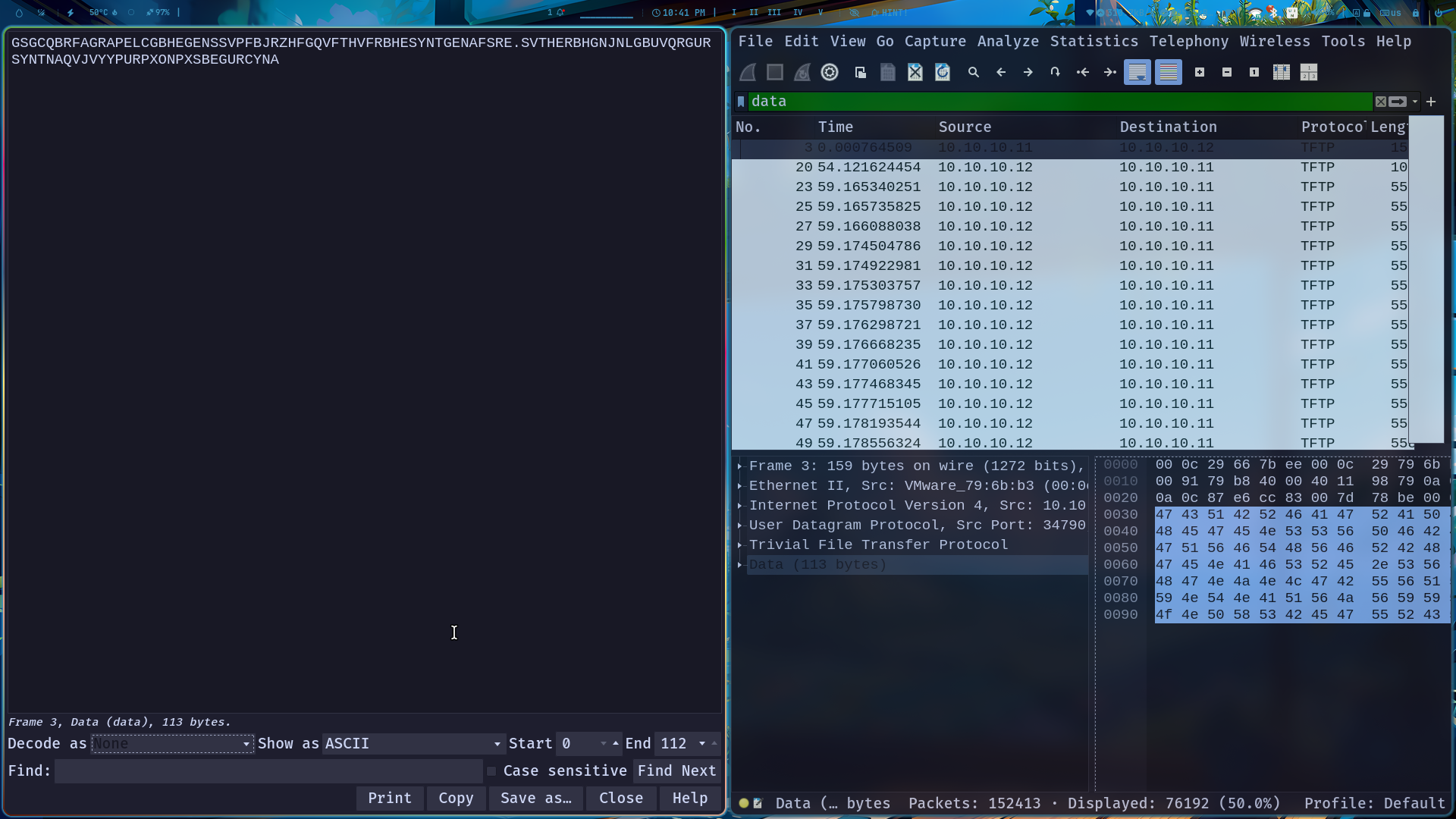
1 | I USED THE PROGRAM AND HID IT WITH-DUEDILIGENCE.CHECK OUT THE PHOTOS |
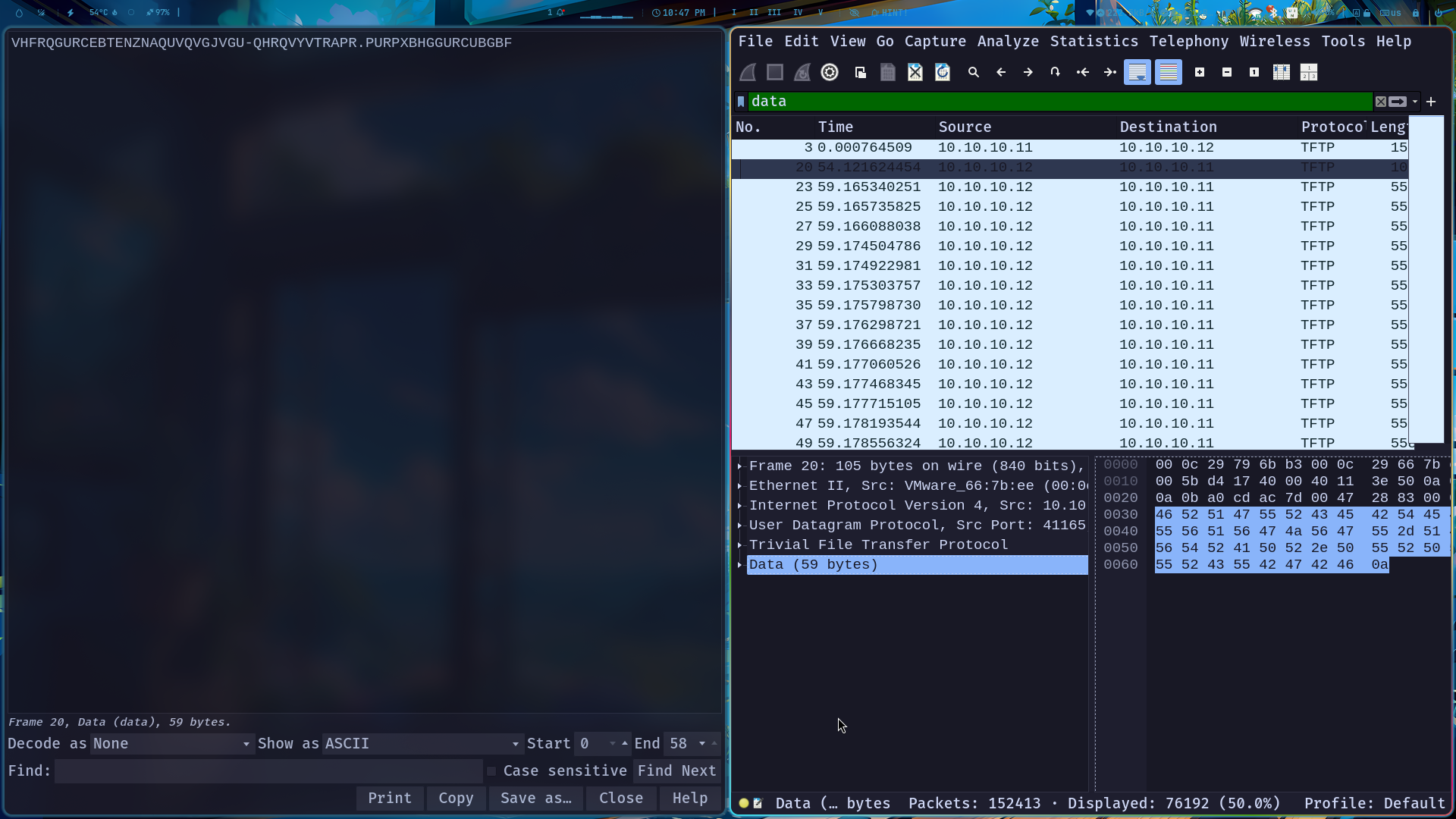
Từ đây mình biết là có giấu ảnh chứa flag trong gói tin TFTP cùng gợi ý có thể là key (==DUEDILIGENCE==) nên mình sẽ trích xuất ra
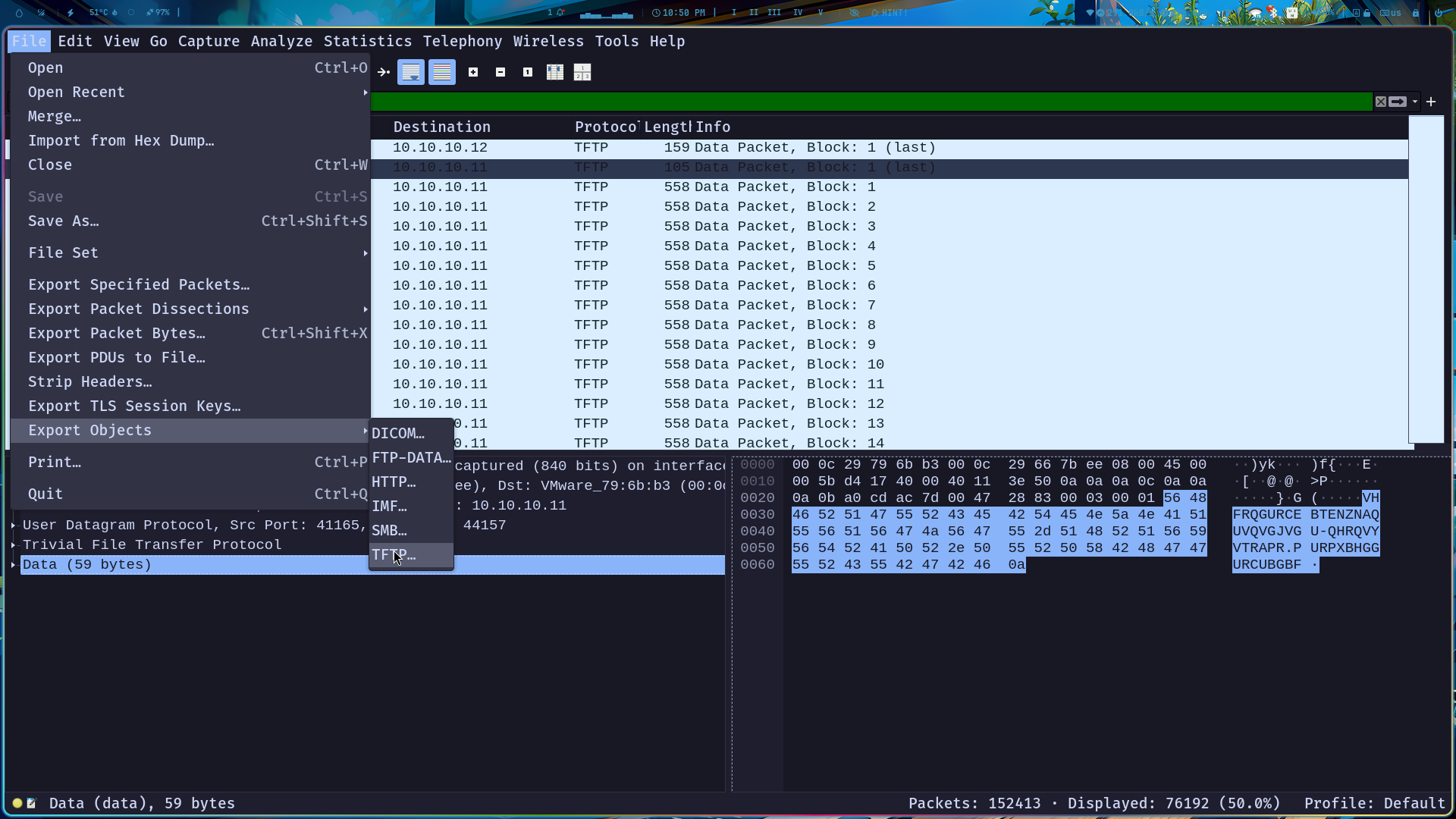
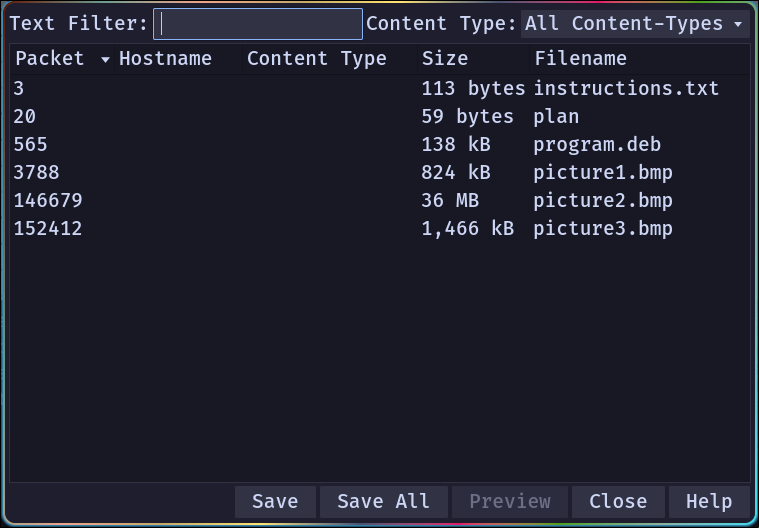
Trích xuất file trong ảnh 3
steghide extract -sf picture3.bmp -p "DUEDILIGENCE"

Mở file flag
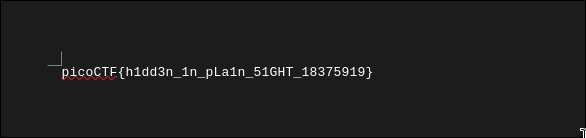
Flag: picoCTF{h1dd3n_1n_pLa1n_51GHT_18375919}
Pitter, Patter, Platters
‘Suspicious’ is written all over this disk image. Additional details will be available after launching your challenge instance.
Author: @syreal
Đầu tin mình có file disk nên là mình mở bằng FTK sau khi tìm kiếm thì mình tìm được 2 file rất đáng chú ý nên extract nó ra
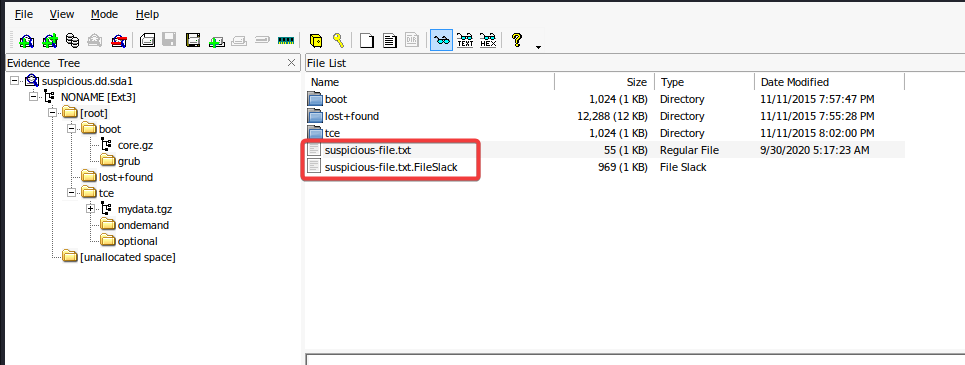
File đầu thì bảo là không có gì nên mình mở file tiếp theo

Tại đây mình có flag nhưng bị ngược
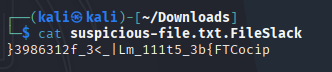
Flag: picoCTF{b3_5t111_mL|_<3_f2136893}
like1000
This .tar file got tarred a lot.
Author: @Danny
Mình giải nén thì được file 999.tar mở tiếp thì sẽ được 998,997,996,…. do có rất nhiều file cần mở nên mình dùng script như trong hint để mở
1 | import tarfile #Moudle used to work with tar files |
Và mình được 1 file flag.png
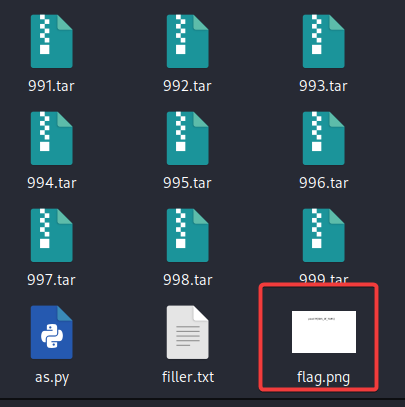

Flag: picoCTF{l0t5_0f_TAR5}
What Lies Within
There’s something in the building. Can you retrieve the flag?
Author: @Julio/Danny
Dùng zsteg
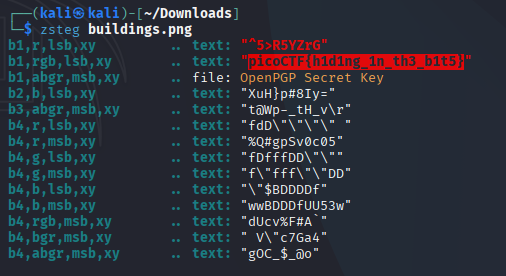
Flag: picoCTF{h1d1ng_1n_th3_b1t5}
extensions
This is a really weird text file TXT? Can you find the flag?
Author: @Sanjay C/Danny
Dùng file thì phát hiện đây không phải file .txt mà là ảnh PNG

Dùng convert để đổi tên sang PNG
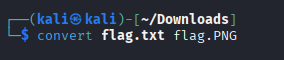
Mở file PNG và có được flag

Flag: picoCTF{now_you_know_about_extensions}
WhitePages
I stopped using YellowPages and moved onto WhitePages… but the page they gave me is all blank!
Author: @John Hammond
Mở file toàn thấy chấm và cách nên đây có thể là mã nhị phân
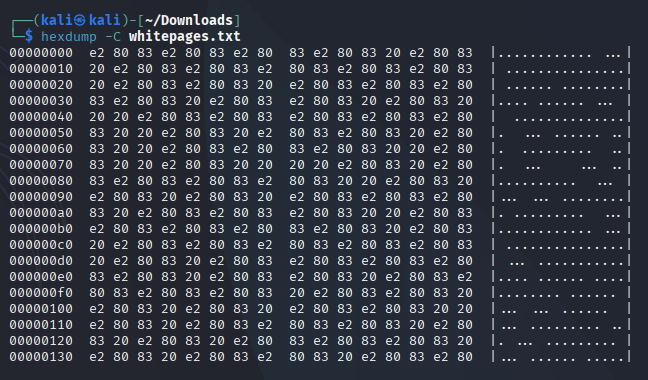
1 | def convertSpacesToBinary(): |
Chạy scritp sẽ có được flag
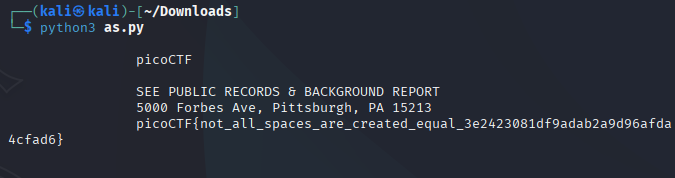
Flag: picoCTF{not_all_space_are_created_equal_3e2423081df9adab2a9d96afda4cfad6}
shark on wire 1
We found this packet capture. Recover the flag.
Author: @Danny
Mở Protocol để xem thì mình thấy mục Microsoft rất đáng nghi với ít gói tin
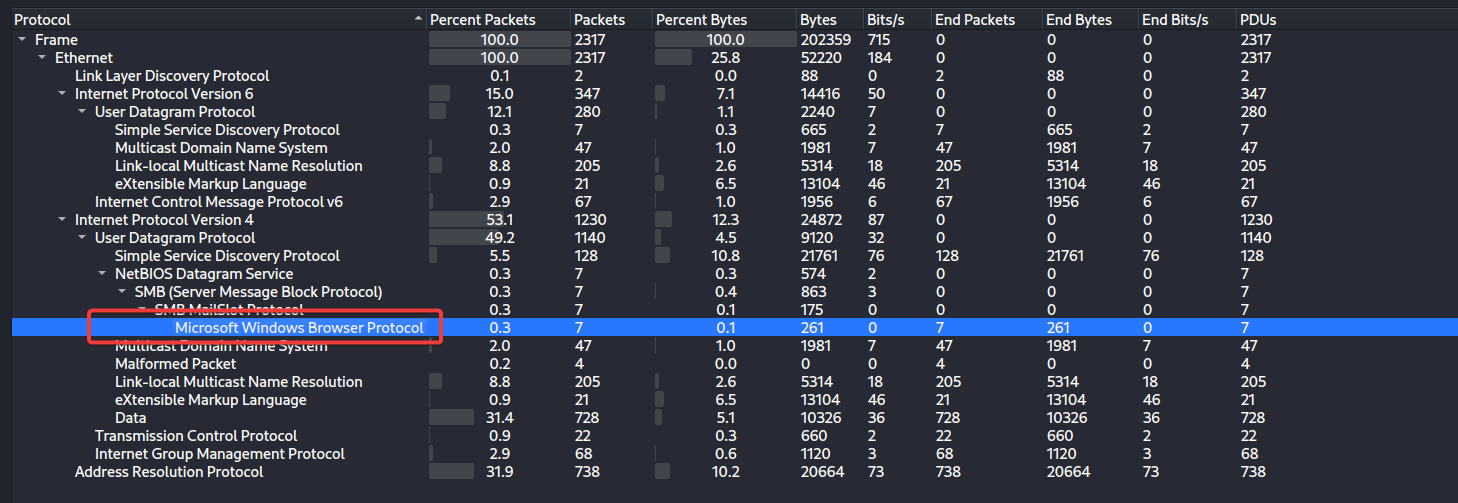
Follow và đi đến stream 6
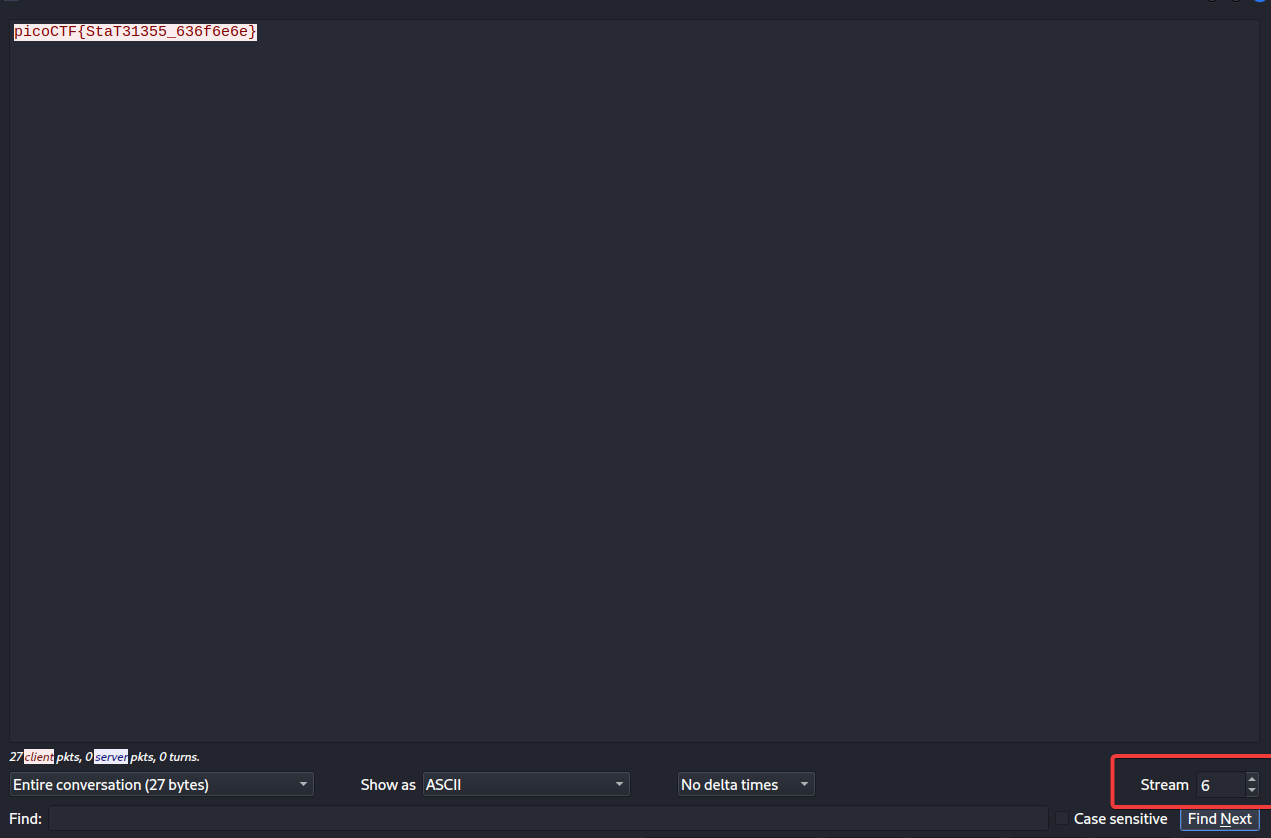
Flag: picoCTF{StaT31355_636f6e6e}
m00nwalk
Decode this message from the moon.
Author: @Joon
Do mô tả có đề cập tới mặt trăng kèm file wav nên mình nghĩ đây liên quan tới sóng vô tuyến do đó mình dùng web SSTV Decoder
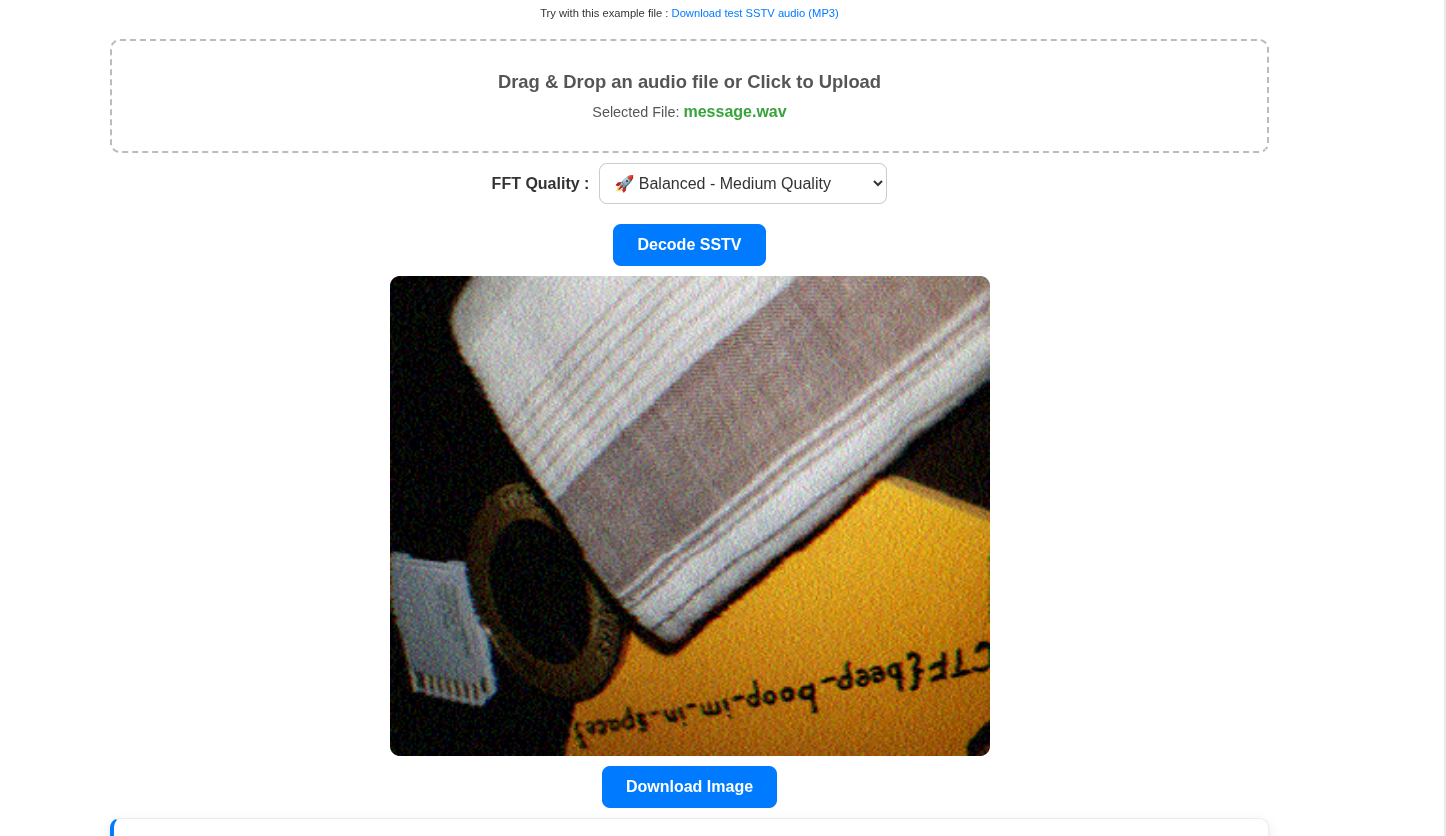
Lậy ngược lại là cosd flag
Flag: picoCTF{beep_boop_im_in_space}
So Meta
Find the flag in this picture.
Author: @Kevin Cooper/Danny
Dùng exiftool
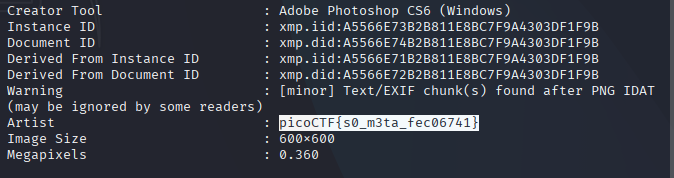
Flag: picoCTF{s0_m3ta_fec06741}
c0rrupt
We found this file. Recover the flag.
Flag: picoCTF{c0rrupt10n_1847995}
Forensics Git 1
Can you find the flag in this disk image?
Timeline 1
Can you find the flag in this disk image? Wrap what you find in the picoCTF flag format.